

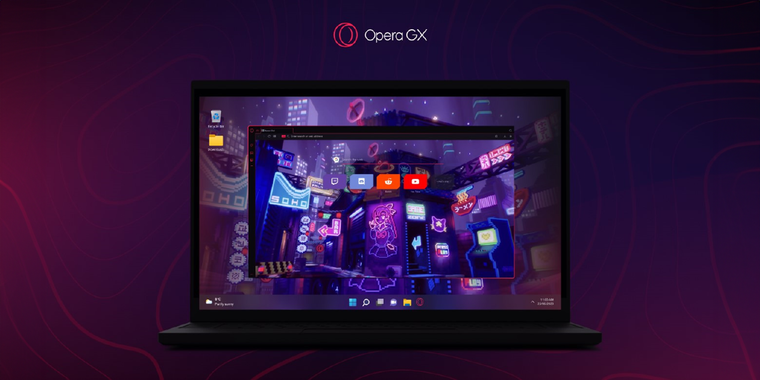
Opera GX introduces Live Wallpapers for dynamic and interactive gaming experience
For those who may not know, Opera GX is a gaming-focused browser from Opera that offers certain additional features and characteristics compared to the company's most well-known product. It is primarily designed to enhance performance for gaming and includes unique gimmicks that may be of interest to gamers. Live Wallpapers is one of those 'cool gaming features' mentioned, which aims to bring interactive games to the browser and Windows desktop, adding a dynamic and immersive element. These mini games react to mouse movements in real time, constantly evolving based on user actions.
To make Live Wallpapers accessible, the GX.store offers over 50 free wallpapers created by the community and Opera GX team, so most users should be able to find wallpapers that cater to their preferences. The launch of Live Wallpapers coincides with Opera GX's fourth birthday celebration, featuring a special Mod for YouTuber MrBeast. MrBeast will reveal his unique Live Wallpaper live on his gaming channel, showcasing this and other features from the browser.
Live Wallpapers are available on Windows and macOS, with Windows users having the ability to modify their operating system wallpaper (macOS users will be limited to the browser only). To access Live Wallpapers, users can download Opera GX and visit the GX online store. There, they can browse the extensive collection and install their preferred choice. Windows users can also join the Early bird program in Opera GX's settings to set a Live Wallpaper as their Windows background. They will be able to easily select and apply their preferred wallpaper through the Windows tray application for quick access as well.

- Web Browser
- Free
- Proprietary
Related news
External links
- Opera GX unlocks mini games in your browser with Live WallpapersOpera News • Official source
- Opera GX Launches Live Wallpapers with Exclusive MrBeast Collaboration, Celebrating 4th AnniversaryG-LYFE Nation
- Opera GX becomes the first browser to allow users to set a game as their browser and Windows backgroundEuropean Gaming Industry News