


Google Drive finally gets a dedicated spam folder for unwanted shared files
Google Drive has introduced a new feature that will help users suppress potentially malicious content and stay safe and distraction-free: a dedicated spam folder within Google Drive that will host unwanted files that are shared with users containing spam or abusive content.
Similar to how the spam folder works in Gmail, automatic classifiers will redirect files that Drive strongly suspects to be unwanted to the spam folder. Users will also be able to manually move Drive, Docs, Sheets, Slides, Sites, and Forms files in and out of the spam folder: to move a folder to Spam, they can select “report spam” from the context menu or drag the file into the spam folder in the left-hand navigation menu. Once an unsolicited file is moved to the spam folder, users will be unsubscribed, preventing all comment, sharing, and mobile push notifications for the file. After 30 days, files residing in the spam folder will be permanently removed from Drive.
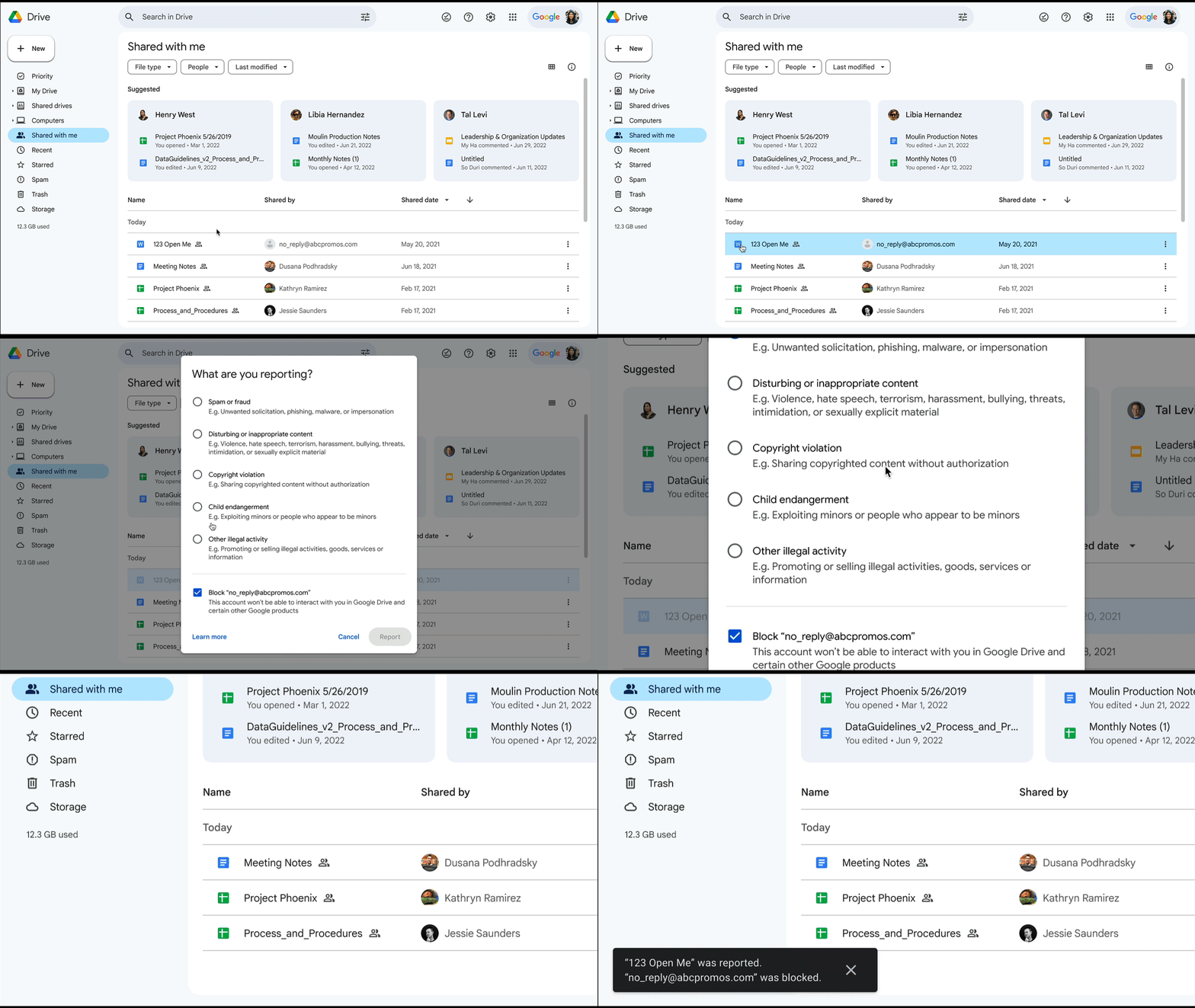
According to Google Drive, the new feature will improve the security of the platform by giving users more control over their content while blocking harmful files without risking impact to users. The spam folder is a welcome and long-awaited addition to Google Drive, which previously lacked a dedicated space to help users manage unwanted content: for years, some people have been flooded with shared Google Drive files containing ads, porn, dating site scams and malware. Finally, Google did something to control this garbage.
This new feature should be available for all users by the end of May 2023, but it’s already working for many Google Drive users and it’s visible on the Drive homepage on Web, Android, iOS, and Drive for Desktop.

- Cloud Storage Service
- Freemium
- Proprietary
Related news
External links
- Enhancing spam protection in Google DriveGoogle Workspace Updates • Official source
- Google Drive spam folder finally rolls outAndroid Authority
- Google is finally doing something about Google Drive spam - July 2021Ars Technica
- Google Drive Has a Serious Spam Problem, But Google Says a Fix is Coming - January 2019How-To Geek