


Cybercriminals use WordPad vulnerability to spread Qbot malware with phishing emails
Cybercriminals behind the notorious Qbot malware have reportedly discovered a new technique to spread their malicious agent.
According to ProxyLife, a cybersecurity researcher at Cryptolaemus, these cybercriminals are exploiting a vulnerability in Windows WordPad to facilitate the dissemination of Qbot.
The process begins with a phishing email containing the WordPad executable and a malicious .DLL file. Despite WordPad being a legitimate application, during startup, it unknowingly activates all the DLL files, including the malicious one.
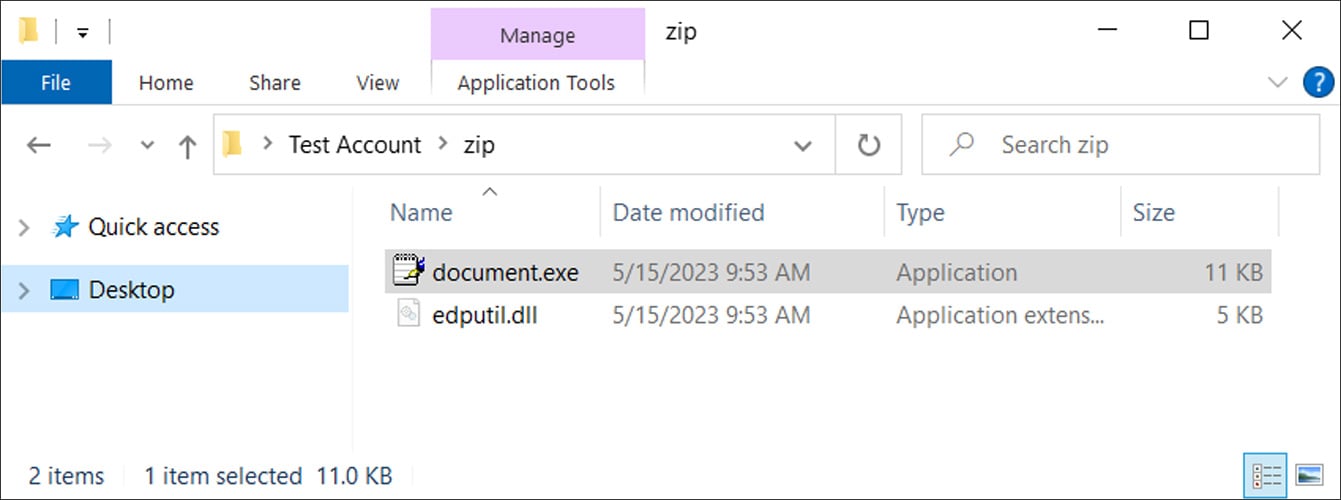
This particular practice, already known to cybersecurity experts, is referred to as DLL sideloading or DLL hijacking and has previously been used with applications like Calculator.
Qbot, WordPad, and malicious DLL files—a highly dangerous combination. Once the malware is activated, it utilizes the Curl.exe executable located in the System32 folder to download another DLL file masquerading as a PNG image. However, this file is actually the infamous Qbot, a banking trojan notorious for phishing attacks and further downloading of other malware, such as Cobalt Strike.
The utilization of programs like WordPad allows the execution of these malicious DLL files to go undetected by many antivirus programs and similar security measures. This enables cybercriminals to significantly facilitate the spread of Qbot.
However, this new strategy does have a significant limitation. It requires the presence of the Curl.exe file in the System32 folder, making it effective only on Windows 10 and newer versions of the Microsoft operating system.
As with other similar threats, adhering to standard precautions is crucial to avoiding potential infections. Exercising great caution with suspicious emails and their attachments, for example, represents the first step towards security.
Adopting an advanced antivirus solution, regularly updating it, and ensuring real-time protection provide additional layers of certainty in this regard.

- Word Processor
- Free
- Proprietary
Related news
External links
- New QBot phishing campaignCryptolaemus on Twitter • Official source
- QBot malware abuses Windows WordPad EXE to infect devicesBleepingComputer
- QBot malware exploits Windows WordPad EXE to take overghacks