


View your photos and files simultaneously with the new Gallery View integration in Microsoft's File Explorer
Microsoft has added a new feature to its File Explorer, the Gallery view, which provides users with a convenient way to view their Photos app's image library while browsing files and folders. The feature is accessible via a shortcut in the File Explorer's navigation panel, displaying thumbnails of images from the All Photos view of the Photos app. With OneDrive Camera Roll Backup activated, the Gallery view is optimized for accessing users' most recent photos, which will be displayed at the top.
To customize their Gallery view, users can select which folders are shown in the Collection dropdown, as well as add subfolders of existing sources to filter to a subset of their content. This enables users to organize their photo library more efficiently, making it easier to access the photos they need. Additionally, the Gallery view appears as an option in the file-picking dialog, making it easier to attach images to emails, PowerPoint presentations, or social posts.
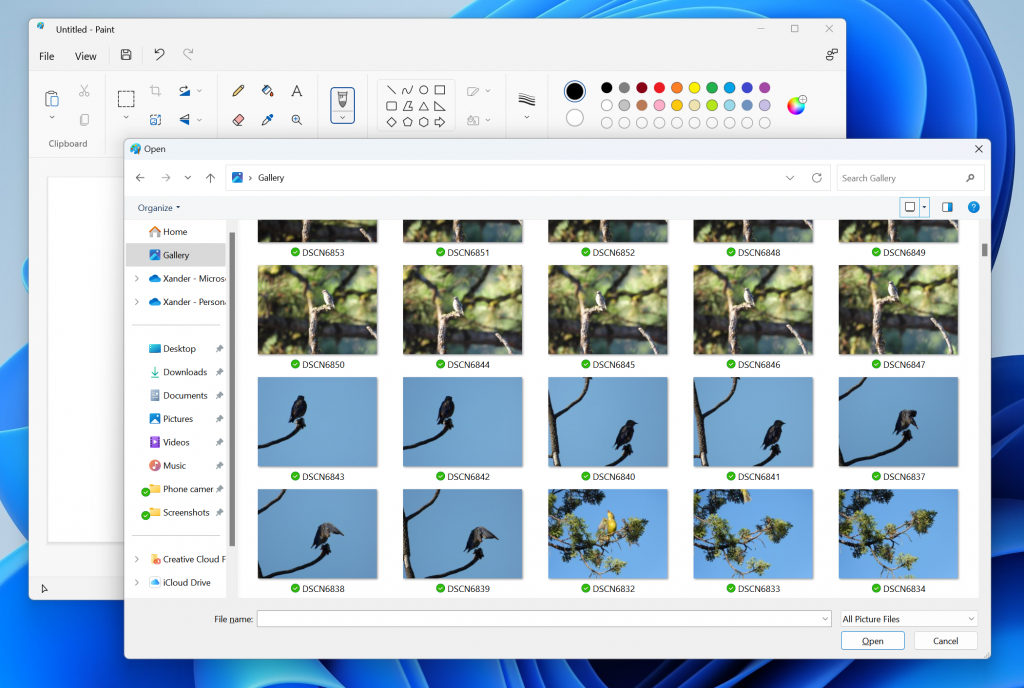
The Gallery view feature is currently only available to Windows Dev Channel Insiders Preview Build 23435, and Microsoft will monitor feedback before pushing it out to everyone. It may not be included in future stable releases if the company receives negative feedback or changes its plans.
Our take: This feature provides an exciting glimpse into how Microsoft is continually trying to integrate its different standalone apps into the whole ecosystem, kinda like they were Loop components.

- File Manager
- Free
- Proprietary
Related news
External links
- Announcing Windows 11 Insider Preview Build 23435Microsoft • Official source
- Windows 11 Beta Build Features New ‘Gallery’ Photo View in File ExplorerPetaPixel
- Microsoft is making it easier to browse through and share your photos on Windows 11Windows Central
- @mayank_jee Twitter's threadMayank Parmar on Twitter