• Inkscape icon
  • Graphite icon
  • LibreOffice - Draw icon

Best Linux's Vector Applications

AlainINAlainIN3 appsUpdated
Copy a direct link to this comment to your clipboard
  1. Inkscape icon
     Like

    Open source vector graphics editor supporting SVG with features like custom brushes, pressure sensitivity, and layer management across multiple platforms.

    Cost / License

    • Free
    • Open Source

    Application type

    Platforms

    • Mac
    • Windows
    • Linux
    • BSD
    • Snapcraft
    • Flathub
    • PortableApps.com
    • Haiku
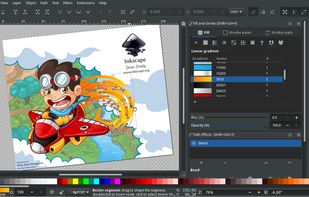
    Inkscape screenshot 1
    Inkscape screenshot 1
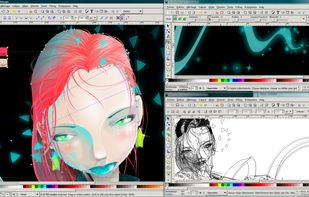
    Inkscape screenshot 2
    +8
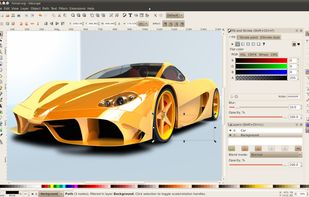
    Inkscape screenshot 3
  2. Graphite icon
     Like

    Free, open source vector graphics and animation tool with nondestructive editing, node-based design, layer compositing, and browser access in alpha.

    Cost / License

    • Free
    • Open Source

    Application type

    Platforms

    • Online
    Made using nondestructive boolean operations and procedural polka dot patterns
    Design for a magazine spread, a preview of the upcoming focus on desktop publishing
    All layer stacks are represented, under the hood, by a nondestructive node graph
    +2
    Mandelbrot fractal filled with a noise pattern, procedurally generated and infinitely scalable
  3. Draw lets you produce anything from a quick sketch to a complex plan, and gives you the means to communicate with graphics and diagrams. With a maximum page size of 300cm by 300cm, Draw is a an excellent package for producing technical drawings, general posters, and much else.

    Cost / License

    • Free
    • Open Source

    Application type

    Platforms

    • Mac
    • Windows
    • Linux
    • BSD
    • PortableApps.com
    • Flathub
    LibreOffice - Draw screenshot 1
    LibreOffice - Draw screenshot 1
    LibreOffice - Draw screenshot 2

Comments

0