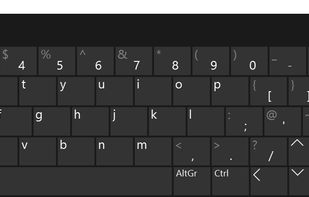
On-screen keyboards for people with limited hand mobility

If you cannot use a physical keyboard, the built-in Windows on-screen keyboard is usually the first thing you find, and often the last one anybody tells you about. Between it and full AAC systems costing thousands, there is a whole category most people never discover.

This list collects what is actually out there for typing without a physical keyboard on a desktop computer: free tools, paid ones, and a few built for eye tracking or switch access. I have tried to note who each one is for, because "on-screen keyboard" covers products that solve very different problems.

Disclosure: I build one of the products in this space. Everything here is listed on merit, including the ones that compete with mine.

Lukasz Krason
Lukasz KrasonList by Lukasz Krason, last updated 
Copy a direct link to this comment to your clipboard
  1. Built into the operating system

  2. Always there, no install needed. No word prediction, no dwell click, and it steals focus, so long typing sessions get tiring fast.

    Cost / License

    • Free
    • Proprietary

    Platforms

    • Windows
    On-Screen Keyboard for Windows 10
  3. The Linux equivalent. Layouts are customisable and it has basic prediction, but it is tied to GNOME.

    Cost / License

    • Free
    • Open Source

    Platforms

    • Linux
    Onboard on-screen keyboard screenshot 1
  4. Free

  5. Minimal and genuinely free. Good if you need keys on screen and nothing else.

    Cost / License

    • Free
    • Proprietary

    Platforms

    • Windows
    Free Virtual Keyboard screenshot 1
  6. Linux, long-running project, works with switch access.

    Cost / License

    • Free
    • Open Source

    Platforms

    • Linux
    hardware style
    shape style
  7. The old free standard for people who cannot use a physical keyboard. Still works, but development stopped years ago.

    Cost / License

    • Free
    • Proprietary

    Platforms

    • Windows
  8. Keylume icon
     Like

    Worth a look if the built-in keyboard is not enough and you do not want to pay.

    Cost / License

    • Free
    • Proprietary

    Platforms

    • Mac
    Keylume screenshot 1
    Keylume screenshot 1
  9. Another free option in this space.

    Cost / License

    • Free
    • Open Source

    Platforms

    • Linux
    • Ubuntu
    'us'-layout.
    'de'-layout.
    Text snippets.
    +1
    Configuration dialog.
  10. Commercial

  11. Paid, feature-heavy, aimed as much at touchscreen kiosks as at accessibility.

    Cost / License

    • Paid
    • Proprietary

    Platforms

    • Windows
    Hot Virtual Keyboard screenshot 1
    Hot Virtual Keyboard screenshot 1
    Hot Virtual Keyboard screenshot 2
  12. Built for eye tracking and switch access

  13. OptiKey icon
     Like

    Built for eye tracking, free and open source. The reference point if you control a computer with your eyes.

    Cost / License

    • Free
    • Open Source

    Platforms

    • Windows
    OptiKey screenshot 1
    OptiKey screenshot 1
    OptiKey screenshot 2
    +1
    OptiKey screenshot 3
  14. Dasher icon
     Like

    Not a keyboard at all: you write by steering through letters. Takes practice, very fast once it clicks.

    Cost / License

    • Free
    • Open Source

    Platforms

    • Mac
    • Windows
    • Linux
    Dasher screenshot 1

If a tool is missing here, tell me in the comments and I will add it.

No comments so far, maybe you want to be first?
Gu