




Wallaby-VK
Like
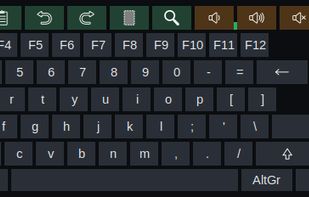
Wallaby-VK is a virtual on-screen keyboard for Linux systems running Wayland. It floats at the bottom of the screen, never steals focus, and types into whatever window you are working in — useful on touchscreens, on machines without a keyboard attached, for characters your own...

Cost / License
- Free
- Open Source (MIT)
 EU
EUPlatforms
- Linux
- Ubuntu


Features
Highlights All activities
Wallaby-VK News & Activities
Recent activities
- Bekudio updated Wallaby-VK
- Bekudio added Wallaby-VK
 Bekudio added Wallaby-VK as alternative to Onboard on-screen keyboard, Florence Virtual Keyboard, Maliit Virtual On-screen Keyboard, Kvkbd and 2 more

Developed by
 Bekudio
 Licensing
Open Source (MIT) and Free product.Alternatives
6 alternatives listedBadge
Get an embeddable badge for Wallaby-VKSupported Languages
AlternativeTo Category
OS & Utilities


On-screen keyboards for people with limited hand mobility
If you cannot use a physical keyboard, the built-in Windows on-screen keyboard is usually the first thing you find, and often the last one anybody tells you about. Between it and full AAC systems costing thousands, there is a whole category most people never discover.
This list collects what is actually out there for typing without a physical keyboard on a desktop computer: free tools, paid ones, and a few built for eye tracking or switch access. I have tried to note who each one is for, because "on-screen keyboard" covers products that solve very different problems.
Disclosure: I build one of the products in this space. Everything here is listed on merit, including the ones that compete with mine.
No comments or reviews, maybe you want to be first?