Best AI Presentation Tools

Creating presentations no longer has to start with a blank slide. Modern AI presentation tools can generate outlines, design slides, suggest visuals, and even rewrite content. These are the tools I would choose when I want to build professional presentations much faster.

Viktor Korobov
Viktor KorobovList by Viktor Korobov, last updated 
Copy a direct link to this comment to your clipboard
  1. Beautiful.ai automatically keeps slides visually balanced, which saves me from constantly adjusting layouts. It makes presentations look polished even without design experience.

    Cost / License

    • Freemium
    • Proprietary

    Application type

    Platforms

    • Online
    Beautiful.AI screenshot 1
    Beautiful.AI screenshot 1
    Beautiful.AI screenshot 2
  2. Impress is a truly outstanding tool for creating effective multimedia presentations. Does linear or non-linear presentations with the included Presenter Console extension. Your presentations can be enhanced with 2D and 3D clip art, special effects and transition styles...

    Cost / License

    • Free
    • Open Source

    Platforms

    • Mac
    • Windows
    • Linux
    • BSD
    • PortableApps.com
    LibreOffice - Impress screenshot 1
    LibreOffice - Impress screenshot 1
    LibreOffice - Impress screenshot 2
    +3
    LibreOffice - Impress screenshot 3
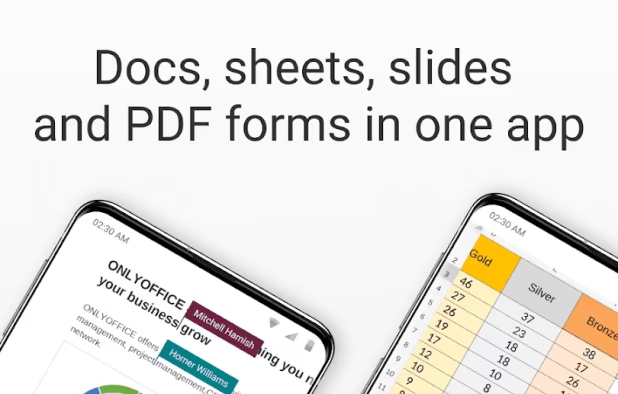
  3. Open-source suite for editing documents, spreadsheets, presentations, forms, and PDF files with co-editing modes, plugin support, AI assistant, and integration across 40+ platforms.

    Cost / License

    • Free
    • Open Source

    Platforms

    • Mac
    • Windows
    • Linux
    • Online
    • Android
    • iPhone
    • Android Tablet
    • HUAWEI AppGallery
    • iPad
    • Self-Hosted
    • AppImageHub
    • Snapcraft
    • Flathub
    • Samsung Galaxy Store
    • Software as a Service (SaaS)
    • Flatpak
    • Cloudron
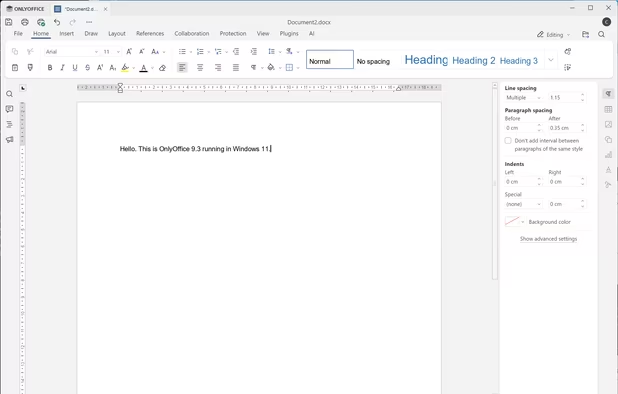
    OnlyOffice 9.3 Document running in Windows 11
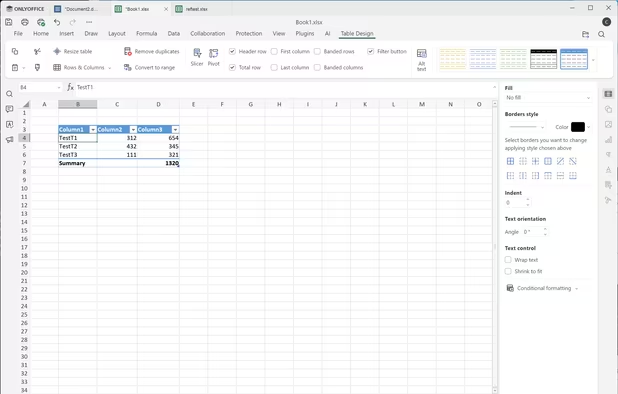
    OnlyOffice 9.3 Spreadsheet running in Windows 11
    ONLYOFFICE screenshot 2
    +13
    ONLYOFFICE screenshot 3
  4. Claude Design lets you create designs, interactive prototypes, presentations, and more by having a conversation with Claude.

    Cost / License

    • Paid
    • Proprietary

    Platforms

    • Online
    Claude Design screenshot 1
    Claude Design screenshot 1
  5. Slidesgo icon
     Like

    Slidesgo offers a huge collection of templates, and its AI features make customization much faster. It's a practical choice for both students and professionals.

    Cost / License

    • Freemium
    • Proprietary

    Platforms

    • Online
    Slidesgo screenshot 1
    Slidesgo screenshot 1
    Slidesgo screenshot 2
  6. PopAi icon
     Like

    PopAI helps transform documents and ideas into structured presentations quickly. I find it useful when starting from research instead of an empty canvas.

    Cost / License

    • Paid
    • Proprietary

    Platforms

    • Online
    • Android
    • iPhone
    • iPad
    • Google Chrome
    PopAi screenshot 1
    PopAi screenshot 1
    PopAi screenshot 2
    +3
    PopAi screenshot 3
  7. Plus AI icon
     Like

    Plus AI is a great option if you already work in Google Slides. Instead of learning another platform, you can generate and improve presentations directly where you already work.

    Cost / License

    • Paid
    • Proprietary

    Platforms

    • Online
    • Software as a Service (SaaS)
    Plus AI screenshot 1
    Plus AI screenshot 1
    Plus AI screenshot 2
    +3
    Plus AI screenshot 3
  8. Pitch icon
     Like

    I like Pitch because it combines collaboration with excellent presentation design. It works especially well when several people need to build a deck together.

    Cost / License

    • Freemium
    • Proprietary

    Application type

    Platforms

    • Online
    • Software as a Service (SaaS)
    Pitch screenshot 1
    Pitch screenshot 1
    Pitch screenshot 2
    +4
    Pitch screenshot 3

The best AI tools for creating presentations, pitch decks, business proposals, and educational slides.

No comments so far, maybe you want to be first?
Gu