• MusicBrainz Picard icon
  • Mp3tag icon

Audio Tagging

Shoji VRShoji VR2 appsUpdated
Copy a direct link to this comment to your clipboard

Tag your music !

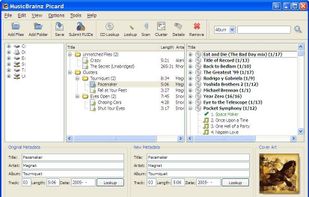
  1. Picard is the next generation MusicBrainz tagging application. This new tagging concept is album oriented, as opposed to track/file oriented like the ClassicTagger was. Picard is written in Python, which is a cross-platform language, and makes use of cross-platform libraries -...

    Cost / License

    • Free
    • Open Source

    Application type

    Platforms

    • Mac
    • Windows
    • Linux
    • Python
    • PortableApps.com
    Main
    Shoji VRShoji VR’s note

    I’d like to say that MusicBrainz Picard is an amazing tool, saving an ample amount of time spent in the tagging process. You open the files you need, you scan them, and Picard does the rest. It’s just that easy. Quicker than any other tagging software I’ve used. Of course, after Picard does it’s work, you can still make changes to the tags if you’d like.

  2. Mp3tag icon
     Like

    Edit and organize audio metadata easily with comprehensive support for batch editing and various audio formats. Available free for Windows; macOS version costs $20.

    Cost / License

    • Free
    • Proprietary

    Application type

    Platforms

    • Mac
    • Windows
    Mp3tag screenshot 1
    Mp3tag screenshot 1
    Mp3tag screenshot 2
    +4
    Mp3tag screenshot 3
    Shoji VRShoji VR’s note
    • It sometimes feels like everything is possible with this program. I’ve been able to:
    • load up a collection of over thirty thousand individual tracks including MP3, AAC, OGG, FLAC, WMA, Opus, and others;
    • sort them any way I like, including filtering the collection with arbitrarily specific queries;
    • select any number of those tracks and get an overview so I can spot non-standard or corrupted tags;
    • pull information and album art from a number of web sources to fill in the missing bits;
    • reformat any part of those tags with complex combinations of other metadata, often using regular expressions;
    • rename the files to my personal standard, including sifting them into the right folder structure;
    • undo every step if necessary, including mass file renames;
    • generate a playlist file, or even a well-formatted webpage for browsing or sharing;
    • export a CSV, edit that with a favourite text editor or spreadsheet, then import it to apply the changes to the files;
    • and do all of the above will full Unicode support, confident that it’ll just work.

No comments so far, maybe you want to be first?

Audio Tagging | AlternativeTo