Apps tagged with 'pc-diagnostics'

All apps in Apps tagged with 'pc-diagnostics' category. Use the filters below to narrow down your search. 
Copy a direct link to this comment to your clipboard
  1. EVEREST icon
     60 likes

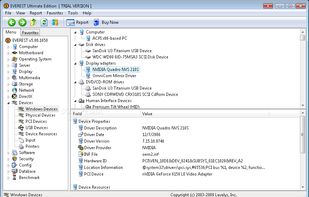
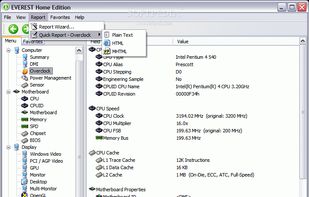
    EVEREST is a complete PC diagnostics software utility that assists you while installing, optimizing or troubleshooting your computer by providing all the information you can think of about your system – from hardware devices and installed drivers to operating system security and...

    Cost / License

    • Paid
    • Proprietary

    Alerts

    • Discontinued

    Platforms

    • Windows
    EVEREST screenshot 1
    EVEREST screenshot 1
    EVEREST screenshot 2
    +1
    EVEREST screenshot 3
    34 alternatives
  2. TechBuddy icon
     Like

    TechBuddy is a portable Windows PC diagnostic and repair toolkit designed for technicians and power users. Run it directly from a USB drive, no installation required.

    Cost / License

    • Paid
    • Proprietary

    Platforms

    • Windows
    TechBuddy screenshot 1
    7 alternatives
  3. A free, lightweight Windows diagnostic tool that scans your PC and generates a detailed report of hardware specs, security settings, GPU drivers, DirectX versions, C++ runtimes, and gaming overlays. Perfect for troubleshooting, tech support, or sharing system info.

    Cost / License

    • Free
    • Proprietary

    Platforms

    • Windows
    SecureCheats System Checker screenshot 1
  4. PowerIX icon
     Like

    AI-powered Windows PC health monitoring, maintenance recommendations and backup management for individuals and small businesses.

    Cost / License

    • Freemium
    • Proprietary

    Platforms

    • Windows
    • Online
    • Software as a Service (SaaS)
    Receive detailed hardware diagnostics with AI explanations, impact assessment and contextual recommendations to resolve detected issues.
    Get a complete health overview including security, performance, storage, backups, network status and recent changes detected on your PC.
    Monitor backups, browse restore points, verify automatic recovery tests and restore your files with confidence.
    +3
    Run maintenance tools to optimize startup time, free disk space, remove unnecessary software and keep Windows running efficiently.
    6 alternatives