Apps tagged with 'IDE for Java'

All apps in Apps tagged with 'IDE for Java' category. Use the filters below to narrow down your search. 
Copy a direct link to this comment to your clipboard
  1. IntelliJ IDEA icon
     451 likes

    IntelliJ IDEA is the JetBrains IDE for Java and Kotlin development, where you can run your agents, verify their work with built-in tools, and ship reliable products with code intelligence that helps you and your agents navigate the codebase faster and change code safely.

    Cost / License

    • Freemium (Subscription)
    • Open Source

    Application type

    Since

    • Since 2009 (updated Nov 2026)

    GitHub

    • GitHub stars: 20.8k

    Platforms

    • Windows
    • Mac
    • Linux
    • CZ flagCzechia
    • European Union flagEU
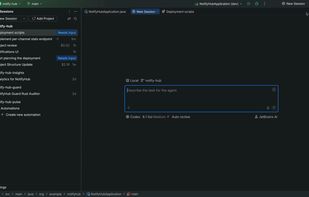
    Start a new agent session in IntelliJ IDEA
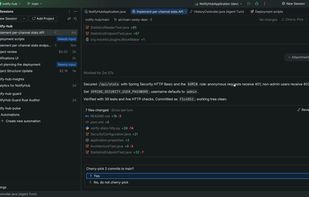
    Work with agents
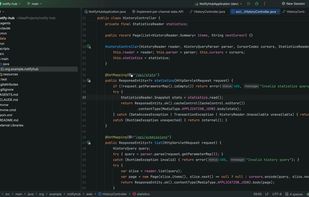
    IntelliJ IDEA interface
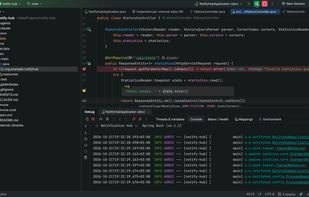
    Run the debug session
    69 alternatives
    4.1
    Very Good11 ratings
  2. JCreator icon
     5 likes

    JCreator is a powerful lightweight IDE for Java. The perfect tool for programmers of every level, from learning programmer to Java-specialist.

    Cost / License

    • Freemium
    • Proprietary

    Application type

    Since

    • Since 2010

    Platforms

    • Windows
    • NL flagNetherlands
    • European Union flagEU
    Start page
    JCreator screenshot 2
    11 alternatives
  3. Java-Editor icon
     3 likes

    Integrated Java development environments set high requirements on the computer equipment.

    Cost / License

    • Free
    • Proprietary

    Application type

    Since

    • Since 2016

    Platforms

    • Windows
    Java-Editor screenshot 1
    130 alternatives
  4. JCppEdit  icon
     4 likes

    JCppEdit v3.8 is a multiple programming language IDE that offers you a unique platform to code many programs in a single environment, starting from C, C++, Java to HTML, CSS, JavaScript, XML and Text files.

    Cost / License

    • Freemium (Pay once)
    • Proprietary

    Application type

    Since

    • Since 2017

    Platforms

    • Windows
    • Linux
    JCppEdit  screenshot 1
    JCppEdit  screenshot 2
    Open a new file screen.
    +9
    C Graphics screen.