Apps tagged with 'form-automation'

All apps in Apps tagged with 'form-automation' category. Use the filters below to narrow down your search. 
Copy a direct link to this comment to your clipboard
  1. Basin icon
     2 likes

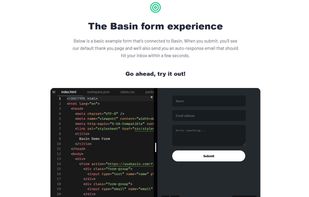
    Collects and manages form submissions on any site or framework, with no backend coding. Supports workflow automation, file uploads, robust spam filtering, webhooks, and integrations.

    Cost / License

    • Freemium
    • Proprietary

    Application type

    Platforms

    • Online
    • Software as a Service (SaaS)
    Basin screenshot 1
    Basin screenshot 1
    45 alternatives
  2. Typelessform icon
     1 like

    TypelessForm adds voice input to any existing web form. Users speak — AI fills the fields — from a single voice input. One script tag, no backend changes, 25+ languages. Built for long forms where typing is painfu. Works with React, Vue, Angular, WordPress, plain HTML.

    Cost / License

    • Freemium
    • Proprietary

    Platforms

    • Online
    • Software as a Service (SaaS)
    Form filled by voice: user said name, email, phone, subject — all fields mapped automatically. "Fill by Voice" widget in bottom-right corner.
    Voice input modal: widget auto-detects form fields and prompts user to speak naturally in any language. One click to start.
    AI review screen: 5 fields filled, 1 flagged for review. 96% confidence score. User can verify before submitting.
    +1
    Final result: all 6 fields filled from a single voice input. Form ready to submit. Widget stays non-intrusive in bottom-right.
    1 alternatives
  3. Contact Form To API is a WordPress plugin that sends Contact Form 7 submissions directly to any third-party REST API, CRM, or marketing platform — without Zapier, Make, or any middleware.

    Cost / License

    • Freemium
    • Proprietary

    Platforms

    • Wordpress
    The WordPress admin panel showing the Contact Form to Any API plugin  installed and active. The left sidebar highlights the plugin menu with options: All API Integrations, Add New Integration, API Logs, Form Entries, Settings, Documentation, and Upgrade to Pro. The plugin description reads "Send CF7 Lead/Data to CRM or Any REST API" and requires Contact Form 7.
    The CF7 to Any API plugin's integration setup screen inside WordPress. Users name their integration (e.g. "HubSpot CRM Integration"), then fill in the API Endpoint URL, Request Headers (Bearer token, Content-Type, etc.), Request Body Type (Raw JSON), and Request Method (POST/GET) — all in a clean 2-step wizard: Step 1 Configure API Request ? Step 2 Map Form Fields.
    The CF7 to Any API plugin's built-in log viewer showing live form submission results. Each row displays the Form Name, API Name (e.g. HubSpot), Submitted Data (name, email, timestamp), full API Response JSON, and a green "Created (201)" status confirming successful delivery. 56 entries across 6 pages — fully filterable and deletable from the WordPress dashboard.
    1 alternatives