Mouse Gestures Tools Page 2 of 2

All apps in Mouse Gestures Tools category. Use the filters below to narrow down your search. 
Copy a direct link to this comment to your clipboard
  1. Mouse Gestures the Easy Way: Instant feedback so you know you are on the right track. Easy configuration to make your own actions.

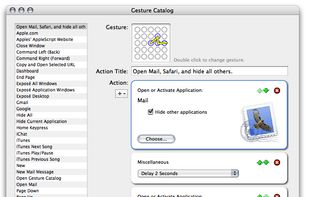
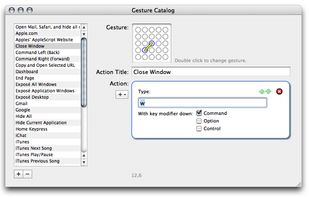
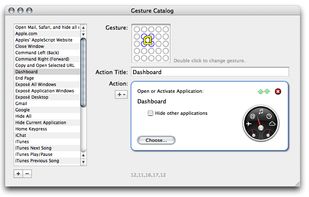
    Actions to build on: FlyGesture works a lot like Automator. You can create a single action, or chains of actions to be invoked by the simple moveme.

    Cost / License

    • Free
    • Proprietary

    Application type

    Platforms

    • Mac
    Chaining actions
    Close Window / Command Keypress
    Open Application
    +1
    Open URLs
    5 alternatives
  2. Cesturefy icon
     Like

    Cesturefy is a Chromium adaptation of the popular Robbendebiene/Gesturefy mouse gesture extension originally for Firefox, bringing the same smooth gesture control to Chrome, Edge, and other Chromium-based browsers.

    Cost / License

    Application type

    Platforms

    • Google Chrome
    • Microsoft Edge
    Gesture Settings
    Behaviour Settings
    Extra
    6 alternatives
  3. Middle click for the Mac trackpad: three-finger click or tap, free forever, plus fn+click, Force Click, middle-drag for CAD, autoscroll and per-app rules as a one-time purchase, from the maintainer of MiddleClick.

    Cost / License

    • Freemium
    • Proprietary

    Application type

    Platforms

    • Mac
    • Homebrew
    The whole app is a menu bar menu: four middle-click gestures, each with a measured energy dot.
    Every row opens a card that explains the gesture and shows what it costs, measured on real hardware.
    The Middle-Drag plugin holds a middle-button drag system-wide, so Blender, Fusion, Unity and any app that pans or orbits with the middle button just work.
    +4
    The welcome tour's playground: try three-finger click, fn+click and three-finger tap on mock tabs before trusting them.
    7 alternatives