Paint.NET Alternatives for Mac

Paint.NET is not available for Mac but there are plenty of alternatives that runs on macOS with similar functionality. The best Mac alternative is Pinta, which is both free and Open Source. If that doesn't suit you, our users have ranked more than 100 alternatives to Paint.NET and many of them are available for Mac so hopefully you can find a suitable replacement. Other interesting Mac alternatives to Paint.NET are Krita, GIMP, Adobe Photoshop and Pixelmator.

filter to find the best alternatives

Paint.NET alternatives are mainly Image Editors, but if you're looking for Photo Editors or Digital Painting Tools you can filter on that. Other popular filters include Linux, Android, Mac, iPad, Online, Android Tablet and Windows. You can also filter by region, for example EU-based alternatives if you prefer software developed in the European Union. These are just examples - use the filter bar below to find more specific alternatives to Paint.NET.
Copy a direct link to this comment to your clipboard
Paint.NET alternatives page was last updated

Alternatives list

  1. Pinta icon
     278 likes

    Pinta is a image editing, drawing and painting application with a simple yet powerful interface. Pinta has a wide range of drawing tools, including: freehand, rectangles, circles and lines. It also has over 35 effects to apply to your images, and also has the ability to create...

    99 Pinta alternatives

    Cost / License

    • Free
    • Open Source (MIT)

    Platforms

    • Mac
    • Windows
    • Linux
    • BSD
    • Flathub
    • Mono
    • Snapcraft
     
    |
    21
    Pinta vs Paint.NET Comments
    Top Positive Comment
    Guest
    12

    This functions in almost identical ways to Paint.NET, more so than any other program listed on here.

    Review by a new / low-activity user.
    Top Negative Comment
    Guest
    6

    It gives you a good taste of Paint.NET, but it's so broken and painful to work with that it just isn't worth using; e.g. the text function doesn't work.

    Review by a new / low-activity user.
    harrisben
    Positive
    0

    Much more functionality and cleaner UI.

    3 of 21 comments
    • Pinta is Free and Open SourcePaint.NET is Free and Proprietary
    • Pinta is Privacy focusedPaint.NET is not according to our users
  2. Krita icon
     1420 likes

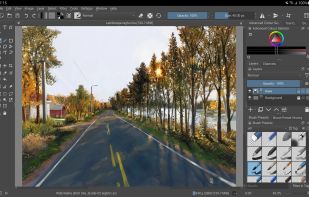
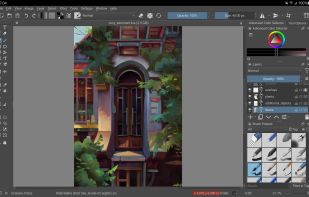
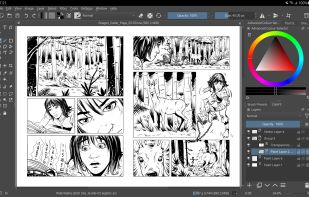
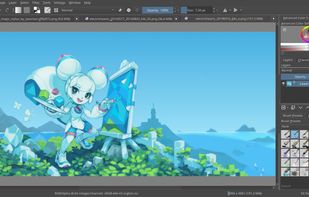
    Free, open-source painting software designed by artists for artists. Offers customizable UI, 9 brush engines, color management, tablet support, non-destructive editing, and privacy features. Portable and available on major platforms, supporting seamless texture creation.

    143 Krita alternatives

    Cost / License

    • Free
    • Open Source

    Application type

    Platforms

    • Mac
    • Windows
    • Linux
    • Android Tablet
    • KDE Plasma
    • Epic Games Store
    • PortableApps.com
    • F-Droid
    • Steam
    • AppImage
     
    |
    16
    Krita vs Paint.NET Comments
    Top Positive Comment
    beng tang
    0

    As an alternative to Paint.NET for Linux, Krita is not exactly the same, but it has most of the same functionality and it can resize (Image > Scale Image to New Size) images using a variety of resampling filters including Lanczos3, which makes it better than GIMP for resizing photos.

    Top Negative Comment
    Guest
    16

    Very good, but not focused to photo editing.

    Review by a new / low-activity user.
    FiTekno
    0

    I was looking for a quick tool to combine multiple screenshots, for example. This succeeds with that but not as fast as with Paint.net. Good thing this is localized to many languages.

    Review by a new / low-activity user.
    3 of 16 comments
    • Krita is Free and Open SourcePaint.NET is Free and Proprietary
    • Krita is Customizable and Privacy focusedPaint.NET is not according to our users
  3. GIMP icon
     4739 likes

    Free open-source suite offering advanced photo retouching, image composition, original artwork creation, batch processing, plugin support, custom scripting, mass image format conversion, and integration with free publishing tools for comprehensive editing solutions.

    188 GIMP alternatives

    Cost / License

    Platforms

    • Mac
    • Windows
    • Linux
    • BSD
    • Snapcraft
    • Flathub
    • PortableApps.com
    • Haiku
    • Flatpak
    • AmigaOS
    • AppImage
     
    |
    41
    GIMP vs Paint.NET Comments
    Top Positive Comment
    Guest
    1

    free, open-source, cross-platform

    Review by a new / low-activity user.
    Top Negative Comment
    zlelmefs
    7

    The #1 perk of paint.net is how lightweight and fast it is, it's intended as a competitor to Paint. GIMP is the complete opposite- it's a big, slow monster designed to compete with photoshop.

    Guest
    Negative
    0

    It's slow and has a lot of stuff you have to learn while paint.net is easy to use and lightweight.

    Review by a new / low-activity user.
    3 of 41 comments
    • GIMP is Free and Open SourcePaint.NET is Free and Proprietary
    • GIMP is Customizable and Privacy focusedPaint.NET is not according to our users
  4. Adobe Photoshop icon
     2426 likes

    Comprehensive raster graphics editor offering advanced photo and image editing features. Supports multiple layers, masks, alpha compositing, various color models, and has limited vector graphics, 3D, and video capabilities. Extensible via plug-ins.

    225 Adobe Photoshop alternatives

    Cost / License

    • Paid
    • Proprietary

    Platforms

    • Mac
    • Windows
    • Online
    • Android
    • iPhone
    • Android Tablet
    • iPad
    • Google Chrome
    • Wine
    • ReactOS
     
    |
    9
    Adobe Photoshop vs Paint.NET Comments
    Top Positive Comment
    HaricharanSrinivasan
    5

    The absolute best in photo correction and manipulation. Slick interface. Fast. Loads of tools for mobile and Web design. Content-aware editing. Video editing. 3D design capability. Synced Libraries. Integrated stock library. Complementary mobile apps.

    Top Negative Comment
    Guest
    35

    Very pricy advanced application compared to free paint.net

    Review by a new / low-activity user.
    zlelmefs
    Negative
    1

    It's slow. It's not free. It's made by one of the worst software companies on the planet.

    3 of 9 comments
    • Adobe Photoshop is Paid and ProprietaryPaint.NET is Free and Proprietary
  5. Pixelmator icon
     422 likes

    Image editing software for macOS and iOS, offering nondestructive, GPU-powered editing with machine learning features, RAW support, custom brushes, and seamless macOS integration for touch-ups, painting, and creative compositions.

    154 Pixelmator alternatives

    Cost / License

    • Paid
    • Proprietary

    Application types

    Platforms

    • Mac
    • iPhone
    • iPad
     
    |
    2
    Pixelmator vs Paint.NET Comments
    Guest
    Positive
    2

    Fast, easy to use, not overloaded with useless features

    Review by a new / low-activity user.
    oddityoverseer13
    Positive
    0

    It's cheap, and it has all the capabilities of Paint.NET (plus some), and it's even more user-friendly.

    • Pixelmator is Paid and ProprietaryPaint.NET is Free and Proprietary
    • Pixelmator is CustomizablePaint.NET is not according to our users
  6. Affinity icon
     63 likes

    Unified design solution merging advanced photo, vector, and layout tools for seamless workflow, non-destructive editing, RAW support, batch processing, AI enhancements, GPU acceleration, file compatibility, cloud asset integration, and tailored workspace options.

    68 Affinity alternatives

    Cost / License

    • Freemium
    • Proprietary

    Platforms

    • Mac
    • Windows
     
  7. MyPaint icon
     389 likes

    MyPaint is a fast, distraction-free, and easy painting tool for digital artists. It supports graphics tablets made by Wacom, and many similar devices.

    129 MyPaint alternatives

    Cost / License

    Application type

    Platforms

    • Mac
    • Windows
    • Linux
    • PortableApps.com
     
    |
    2
    MyPaint vs Paint.NET Comments
    superluminar
    Negative
    6

    MyPaint is a digital painting/drawing program, Paint.NET is a simple image editor.

    Guest
    Negative
    2

    MyPaint looks a lot like Photoshop. Paint.NET is so popular because of the simplicity. Photoshop is a beautiful program with a lot of options. Paint.NET is a simple "paint" program that allows you to go as you like, but keep it simple at the beginning. MyPaint is like a Photoshop lite.

    Review by a new / low-activity user.
    • MyPaint is Free and Open SourcePaint.NET is Free and Proprietary
  8. LazPaint icon
     46 likes

    Raster & vector graphic editor with many tools and filters, written in Lazarus. Portable, 32bit & 64bit versions, ORA format & 16384x16384 image support. In app 3D import & rendering.

    Cost / License

    Platforms

    • Mac
    • Windows
    • Linux
    • BSD
    • PortableApps.com
    • Flathub
    • Flatpak
     
    |
    6
    LazPaint vs Paint.NET Comments
    Top Positive Comment
    sourloti
    3

    Is able to open and edit .pdn files! Especially handy if you're on Linux and aren't able/don't want to use paint.net.

    beng tang
    Positive
    0

    LazPaint comes close to Paint.NET in terms of ease of use and features. Unlike GIMP, LazPaint has good resampling / resizing algorithms including Lanczos. Unlike Krita, it's selection tool does not select outside the image and it can print images. Amongst the Linux image editors I have tried, it is so far the best alternative to Paint.NET.

    Guest
    Positive
    0

    Lightweight and available in Debian 11

    Review by a new / low-activity user.
    3 of 6 comments
    • LazPaint is Free and Open SourcePaint.NET is Free and Proprietary
  9. FireAlpaca icon
     90 likes

    FireAlpaca is the image editor that can be used readily and easily. We made it possible to provide the completely free download, in order for our products to be experienced by more users from all over the world. It is available for both Mac and Windows users!

    123 FireAlpaca alternatives

    Cost / License

    • Free
    • Proprietary

    Platforms

    • Mac
    • Windows
    • Linux
     
    |
    1
    FireAlpaca vs Paint.NET Comments
    Ola Johansson
    Positive
    0

    I just need a super simple tool to use as a web developer to crop and resave and stuff like that. I have always used Paint.net on Windows but this seems pretty good for Mac.

    • FireAlpaca is Free and ProprietaryPaint.NET is also Free and Proprietary
  10. Adobe Elements icon
     84 likes

    Comprehensive photo editing tool with AI-powered automation and easy step-by-step guidance. It includes unique creation tools, layer support, facial recognition, and organizes your photos seamlessly. Available as a one-time purchase, no subscription required, with cloud sync for flexibility.

    146 Adobe Elements alternatives

    Cost / License

    • Paid
    • Proprietary

    Application types

    Platforms

    • Mac
    • Windows
    • Online
    • Android
    • iPhone
     
12 of 40 Paint.NET alternatives