Zoho Scanner is a document scanner that helps students, freelancers, and small business teams turn paper into searchable PDFs and images, using text recognition and e-signatures.
WHO IT'S FOR
Built for people who deal with paper they need to keep: students scanning notes and exam papers, small business owners filing receipts and invoices, admin teams capturing business cards and contracts, and anyone who needs a clean copy of an ID or official document. A good fit if you already keep documents in a cloud drive.
WHAT PEOPLE USE IT FOR
• Scan ID cards, passports, and official documents to keep a clear copy on hand
• Scan receipts, bills, and invoices so expenses get filed as they happen, not at month end
• Pull editable text out of printed pages and notes, and translate it into 17 languages
• Sign contracts and forms and email them back without printing anything
• Scan business cards so contact details are saved instead of lost
HOW IT WORKS
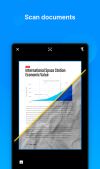
Scan — Point your iPhone or iPad camera at a page and Zoho Scanner finds the document's edges, so you get a straight, cropped scan instead of a photo of a page. Handles multi-page documents and imports from your photo library. Crop, edit, rotate, reorder pages, filter and annotate, then share as a PDF or an image.
Extract text — Text Recognition pulls the words out of a scan so you can edit them, find a document by what's inside it, and share the text as a file.
Translate — Turn a scanned document into any of 17 languages, including French, German, Spanish, Chinese, and Japanese, then send it as a file or paste it in a message.
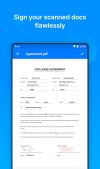
E-sign — Add your signature, initials, name, and the date to a scan, powered by Zoho Sign, so you don't need a printer and a scanner to return a form.
Organize — Use folders, reminders, and tags to keep documents findable. Zoho Scanner suggests tags from a document's content, and Zia Lens sorts scans into documents, receipts, and business cards, then alerts you when new documents appear in your photos.
Share and automate — Send scans by email or iMessage, or upload to Zoho WorkDrive, Zoho Expense, Zoho Notebook, Photos, or your own cloud drive. Build a workflow once and its actions run in the order you set, so filing a receipt is one tap instead of five.









 c17s5qhu added Zoho Scanner as alternative to Archiv scanner
 Croco Loki added Zoho Scanner as alternative to FairScan, OSS Document Scanner, MakeACopy, Tesseract and 17 more

 ZOHO Corp.




No comments or reviews, maybe you want to be first?