Y
Y

Yearly Message Filing

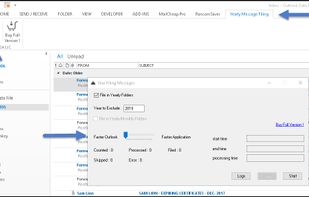
Outlook has limitations that users can easily exceed. If you have hundreds of thousands of messages under a single folder your system will eventually freeze or crash. You may notice performance issues when you perform certain actions and experience decreased performance in...
Yearly Message Filing screenshot 1

Cost / License

  • Free
  • Proprietary

Platforms

  • Windows

Features

No features, maybe you want to suggest one?

Yearly Message Filing News & Activities

Highlights All activities

Recent activities

No activities found.

Yearly Message Filing information

Yearly Message Filing was added to AlternativeTo by SYNERGY on and this page was last updated .
No comments or reviews, maybe you want to be first?

What is Yearly Message Filing?

Outlook has limitations that users can easily exceed. If you have hundreds of thousands of messages under a single folder your system will eventually freeze or crash. You may notice performance issues when you perform certain actions and experience decreased performance in Outlook if the Inbox folder contains lots of items. And that is loss of productivity!

“Yearly Message Filling” scans your Outlook folders and categorizes the emails by year or year/month under new folders. They are named after the year or the year/month the emails were created. The end result is that emails are distributed under multiple folders that are not overcrowded with messages. Either experiencing problems or not. You can use the application to restore Outlook normal functionality and/or avoid future problems.
