xWave icon
xWave icon

xWave

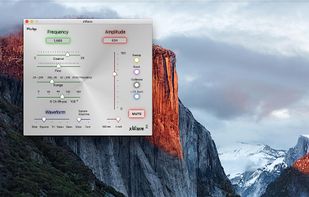
xWave turns your Mac into a signal generator, taking the place of an expensive piece of test equipment. It is most useful as a sine wave generator with calibrated output capability.
xWave screenshot 1

Cost / License

  • Pay once
  • Proprietary

Platforms

  • Mac
xWave screenshot 1
xWave screenshot 2
+2
xWave screenshot 3
0likes
0comments
0alternatives
0articles

Features

  1.  Sound Effects

xWave News & Activities

Highlights All activities

Recent activities

No activities found.

xWave information

  • Developed by

    William Haynes
  • Licensing

    Proprietary and Commercial product.
  • Pricing

    One time purchase (perpetual license) that costs $5.
  • Alternatives

    0 alternatives listed
  • Badge

    Get an embeddable badge for xWave
  • Supported Languages

    • English

AlternativeTo Category

Audio & Music
xWave was added to AlternativeTo by kscalvert on and this page was last updated .
No comments or reviews, maybe you want to be first?

Official Links

What is xWave?

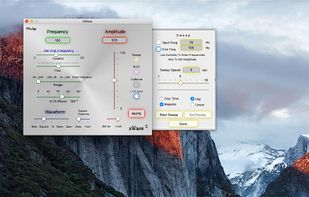
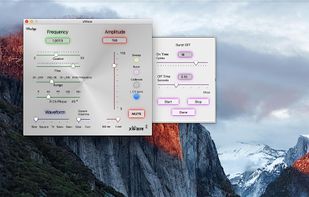
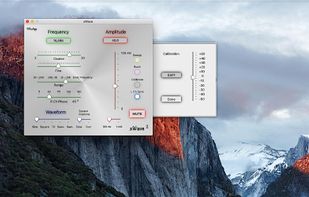
xWave turns your Mac into a signal generator, taking the place of an expensive piece of test equipment. It is most useful as a sine wave generator with calibrated output capability. A variable sweep function allows testing of audio frequency response. Note that the Mac audio system does begin a high frequency rolloff at around 15 kHz. A burst function is provided. From one to twenty cycles of a specified frequency and waveform can be selected. In addition to the sine wave, other waveforms are provided. A disclaimer is warranted here. The digital audio frequency filtering - part of any digital to analog audio system - distorts the discontinuities of any waveform containing harmonics out of the audio range. The risetimes have been tweaked to minimize this distortion while maintaining sufficient harmonic content for audio system testing. The DAC on a typical Mac is fine for most audio use, but does a poor job on square waves. An outboard USB-connected DAC will give a much better waveform.