





WinSocks
Like
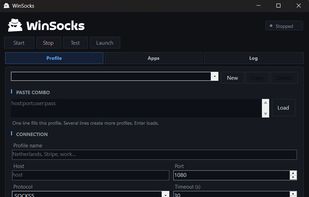
Free Windows proxy launcher. Paste a SOCKS5 or HTTP CONNECT combo, start a local relay, and open Chrome or Firefox with remote DNS.

Cost / License
- Free
- Proprietary
Platforms
- Windows

Features
Highlights All activities
WinSocks News & Activities
Recent activities
- winsock_io added WinSocks
 winsock_io added WinSocks as alternative to Proxifier, OpenText Socks Client, ProxyBridge, Proxycap and 2 more

Developed by
Dr.AnachLicensing
Proprietary and Free product.Alternatives
6 alternatives listedBadge
Get an embeddable badge for WinSocksSupported Languages


No comments or reviews, maybe you want to be first?