Windows Movie Maker Alternatives

Windows Movie Maker is described as 'Makes home movies amazingly fun. With Movie Maker, you can create, edit, and share your home movies right on your computer. Build your movie with a few simple drag-and-drops. Delete bad shots and include only the best scenes' and is a very popular Video Editor in the video & movies category. There are more than 100 alternatives to Windows Movie Maker for a variety of platforms, including Windows, Mac, Web-based, iPhone and Linux apps. The best Windows Movie Maker alternative is Kdenlive, which is both free and Open Source. Other great apps like Windows Movie Maker are OpenShot, Shotcut, DaVinci Resolve and Avidemux.

filter to find the best alternatives

Windows Movie Maker alternatives are mainly Video Editors, but if you're looking for Slideshow Makers or Video Converters you can filter on that. Other popular filters include Linux, Open Source, iPad, Free, Android, Windows + Free and Windows. You can also filter by region, for example EU-based alternatives if you prefer software developed in the European Union. These are just examples - use the filter bar below to find more specific alternatives to Windows Movie Maker.
Copy a direct link to this comment to your clipboard
Windows Movie Maker alternatives page was last updated

Alternatives list

  1. Rocketium icon
     4 likes

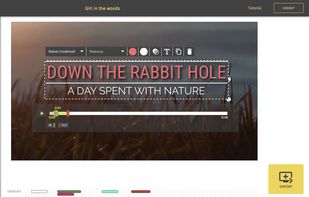
    Rocketium is an online app that helps you create beautiful videos in minutes with text, images, voiceovers and footages. Just upload your graphics, type text, choose a theme and away you go. While there is no learning curve to using Rocketium, it does give you tons of styling...

    Cost / License

    • Freemium
    • Proprietary

    Application type

    Platforms

    • Online
    • Android
    • iPhone
    • Software as a Service (SaaS)
     
  2. Toufee icon
     Like

    Create gorgeous flash movies & slideshows for your website quickly and easily - without any programming - with toufees flash maker.

    Cost / License

    • Paid
    • Proprietary

    Platforms

    • Online
     
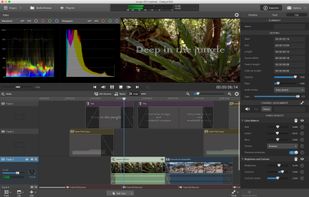
  3. In video, focus is critical. Catalyst Edit focuses on 4K, Sony RAW, and HD video editing so you can focus on your creativity. Deliver your most stunning video productions in all the glory you captured through your lens. You dreamed it. You shot it. Now bring it to life.

    79 Catalyst Edit alternatives

    Cost / License

    • Paid
    • Proprietary

    Application type

    Platforms

    • Mac
    • Windows
     
  4. SmartSHOW 3D icon
     45 likes

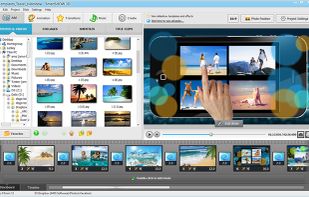
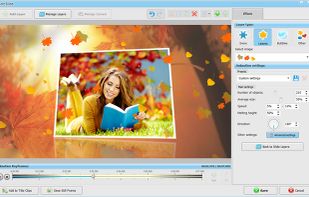
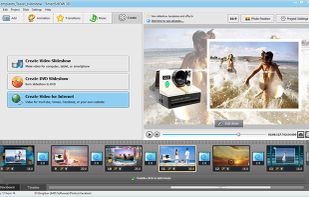
    SmartSHOW 3D offers a pro-level experience with its powerful 3D animation engine, 180+ templates, and 350+ effects. Incorporate photos and video clips, use clipart, shapes, and 3D subtitles. Add snow, butterflies, and voiceovers for stunning results, suitable for novices and experts.

    Cost / License

    • Paid
    • Proprietary

    Application type

    Platforms

    • Windows
     
  5. Veme.ly icon
     Like

    Veme.ly is a Toronto-based video marketing technology startup providing a mobile app solution to people seeking an easy, all-in-one, social video studio, for creating powerful video content. We found an opening that wasn't being filled properly in the market and have chosen...

    Cost / License

    • Freemium
    • Proprietary

    Application type

    Platforms

    • iPhone
     
  6. VideoMakerFX icon
     7 likes

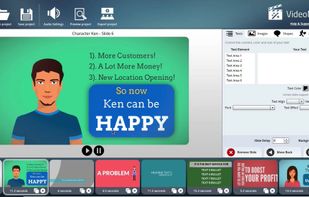
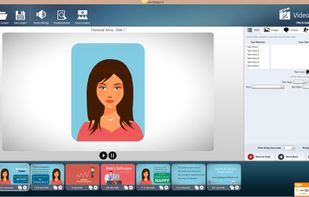
    Game changing video creating software. Fast & Easy Video Creation Like Never Before! Sales Videos, Whiteboard, Explainer, 3D, Photo Slideshows, Lower Third Styles & More! No Restrictions On Your Created Videos! Works Natively on both Windows & Mac! Videos Are Beautif.
    98 VideoMakerFX alternatives

    Cost / License

    • Paid
    • Proprietary

    Application type

    Platforms

    • Mac
    • Windows
     
  7. ffDiaporama icon
     13 likes

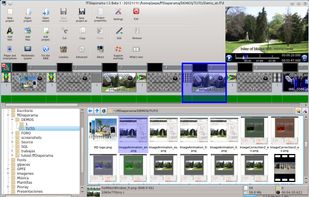
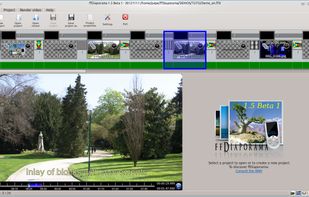
    ffDiaporama is an application of creation of videos sequences established by

    • titles, fixed or livened up.
    • images or by photos, fixed or livened up.
    • movie clip
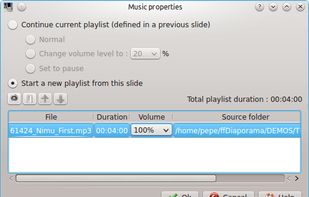
    • music

    These sequences are assembled in slide show by means of transitions of sequence to produce complete videos.
    33 ffDiaporama alternatives

    Cost / License

    • Free
    • Open Source

    Application type

    Alerts

    • Discontinued

    Platforms

    • Windows
    • Linux
     
    |
    1
    ffDiaporama vs Windows Movie Maker Comments
    Guest
    Negative
    1

    This program makes it very difficult to edit frames and delete them. You would have to be a professional to understand how the program works inside and out.

    Review by a new / low-activity user.
    • ffDiaporama is Free and Open SourceWindows Movie Maker is Free and Proprietary
  8. Viddyad icon
     2 likes

    Create video ads online in minutes with Viddyad.

    Viddyad is an award-winning platform that enables businesses to create and publish their own video ads online in minutes. With an in-built content library, easy-to-use editor and affordable pricing, Viddyad opens up the world of v.

    Cost / License

    • Freemium
    • Proprietary

    Platforms

    • Online
     
  9. Typito icon
     4 likes

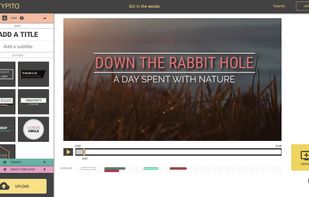
    An online tool that makes it amazingly simple to add motion titles and text on your videos. Something that takes hours on other offline editors, just takes a couple of clicks on Typito.

    Cost / License

    • Paid
    • Proprietary

    Application type

    Platforms

    • Online
     
  10. Video Toolbox icon
     7 likes

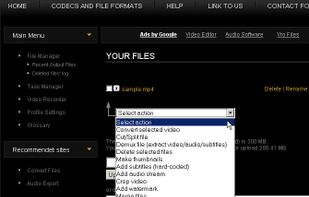
    Most advanced online video editor.With just few clicks you can convert, edit, cut, record, crop or demux video files. A free way edit your movies without installing any software.

    Cost / License

    • Free
    • Proprietary

    Application type

    Platforms

    • Online
     
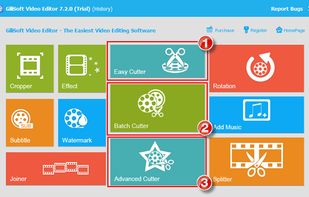
  11. Gilisoft Video Editor – All-in-one video editing software that you need. Edit video in several clicks, make movies, apply effects, add watermarks & subtitles & transitions in an easiest way.

    Cost / License

    • Paid
    • Proprietary

    Application type

    Platforms

    • Mac
    • Windows
     
    |
    1
    Gilisoft Video Editor vs Windows Movie Maker Comments
    Guest
    Negative
    0

    This program has multiple features that are NOT the same as Windows Movie Maker. On top of that, it is very difficult to use unless if you are a professional.

    Review by a new / low-activity user.
    • Gilisoft Video Editor is Paid and ProprietaryWindows Movie Maker is Free and Proprietary
You are at page 7 of Windows Movie Maker alternatives