
Win Grep - Visual Grep & Text Filter icon

Win Grep - Visual Grep & Text Filter

Offers a visual grep interface for Windows, enabling fast text and log filtering with multi-phrase search, set operations like merge and intersection, Regex editor with real-time preview, Unicode support, and instant output. No command-line or scripts needed.
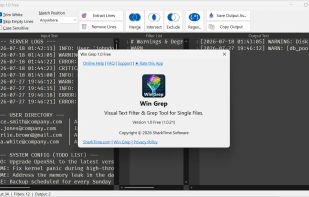
Win Grep - Visual Grep & Text Filter screenshot 1

Cost / License

  • Free
  • Proprietary

Platforms

  • Windows
1like
0comments
0articles

Features

Win Grep - Visual Grep & Text Filter News & Activities

Highlights All activities

Recent activities

Win Grep - Visual Grep & Text Filter information

  • Developed by

    SharkTime Software
  • Licensing

    Proprietary and Free product.
  • Alternatives

    14 alternatives listed
  • Supported Languages

    • English

AlternativeTo Category

Network & Admin

Popular alternatives

View all
Win Grep - Visual Grep & Text Filter was added to AlternativeTo by Piotr on and this page was last updated .
No comments or reviews, maybe you want to be first?

What is Win Grep - Visual Grep & Text Filter?

Win Grep is a visual grep and text filter built for Windows users looking for a convenient way to analyze data files and reports. Forget about command-line terminals, obscure syntax, and memorizing complex parameters. Win Grep brings text filtering into an intuitive graphical interface, making work with single files straightforward and effortless.

The program utilizes a clean three-panel layout (INPUT -> FILTER -> OUTPUT). Paste or open your source file on the left, manage your keywords in the middle panel, and immediately view the filtered results on the right.

Key Features and Capabilities:

  • Multi-Phrase Filtering: Search for multiple words or sentences simultaneously without having to run step-by-step filtering repeatedly.
  • Phrase Set Operations: Merge lists, extract intersections, or subtract phrase sets line-by-line to quickly build custom dictionaries and organize data.
  • Full Filtering Control: Choose exact matches, line starts, or line ends, and utilize Invert mode to hide unnecessary noise and isolate critical log events.
  • Regex Editor and Unicode Support: Benefit from a built-in regular expression editor with real-time visual preview. Unicode support ensures seamless handling of files with international character sets.
  • Convenient GUI Alternative: Serves as a practical replacement for findstr and PowerShell Select-String when you need to inspect single files efficiently without writing scripts.

Win Grep runs 100% locally on your computer, ensuring complete privacy and data security.

Official Links