

Webpage Signage Runner
Like
Webpage Signage Runner is an open-source, enterprise-grade digital signage player and kiosk orchestrator designed for 24/7 mission-critical multi-monitor video walls, lobbies, airports, and command centers on Windows and Linux.
Cost / License
- Free
- Open Source (MIT)
Platforms
- Linux
- Self-Hosted
- Windows
Features
- Support for Multiple Monitors
- Kiosk Mode
- Electron based
- Digital Signage
Webpage Signage Runner News & Activities
Highlights All activities
Recent activities
- mcontartesi added Webpage Signage Runner
mcontartesi added Webpage Signage Runner as alternative to TelemetryTV, Anthias, Yodeck and DAKboard
Webpage Signage Runner information
No comments or reviews, maybe you want to be first?
What is Webpage Signage Runner?
Webpage Signage Runner is an open-source, enterprise-grade digital signage player and kiosk orchestrator designed for 24/7 mission-critical multi-monitor video walls, lobbies, airports, and command centers on Windows and Linux.
Key Features:
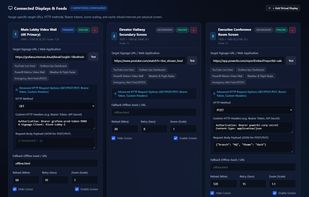
- Multi-Display Orchestration: Automatically discovers physical monitors (screen.getAllDisplays()) and pins independent, borderless, fullscreen kiosk windows to exact display coordinates.
- Dynamic Hot-Plugging: Seamlessly adapts to runtime monitor connection/disconnection without application restarts.
- Advanced HTTP Requests: Supports GET, POST, and PUT per display with custom header injection (Bearer tokens, API keys) and JSON payload bodies.
- 24/7 Self-Healing Watchdog: Performs periodic Chromium memory & disk cache purges (default every 60m) with hard reload to prevent memory leaks in single-page apps.
- Offline Diagnostics & Auto-Reconnect: Displays an animated countdown fallback UI during network dropouts and automatically reloads the instant network connectivity is restored.
- Embedded REST API & Swagger UI: Built-in local HTTP server on port 9191 for remote telemetry, display status, dynamic URL updates, and live PNG screenshot capture (/api/displays/:id/screenshot).
- Hardware Sleep Inhibition: Uses powerSaveBlocker to prevent screen standby and sleep, while globally suppressing the mouse cursor.
- Visual Identification: Flashes large display numbers on all physical monitors for installers during setup.
- Emergency Unlock Shortcut: Press Ctrl+Shift+C (or CmdOrCtrl+Alt+S) anytime to exit kiosk mode and access the dark-mode configuration wizard.