Webpage Conversion Tool icon

Webpage Conversion Tool

Webpage Conversion Tool allows easily export webpage(using URL and different conversion options) to most commonly used extensions, such as PDF, JPG, PNG and SVG.
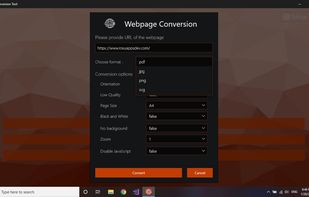
Webpage Conversion Tool screenshot 1

Cost / License

  • Pay once
  • Proprietary

Platforms

  • Windows  [https://www.microsoft.com/store/apps/9NT2W8XLKHM9](https://www.microsoft.com/store/apps/9NT2W8XLKHM9)
  • Windows Mobile  [https://www.microsoft.com/store/apps/9NT2W8XLKHM9](https://www.microsoft.com/store/apps/9NT2W8XLKHM9)

Features

  1.  Webpage to PDF
  2.  Web-Based
  3.  Export to PDF
  4.  Convert HTML pages to PDF
  5.  Convert PDF to HTML

Webpage Conversion Tool News & Activities

Highlights All activities

Recent activities

No activities found.

Webpage Conversion Tool information

Webpage Conversion Tool was added to AlternativeTo by RoxyCole on and this page was last updated .
No comments or reviews, maybe you want to be first?

Official Links

What is Webpage Conversion Tool?

Webpage Conversion Tool allows easily export webpage(using URL and different conversion options) to most commonly used extensions, such as PDF, JPG, PNG and SVG. Also, the application supports the conversion to HTML and back of more than 15 different file types.

Full list of formats available for conversion: *Html to file

  • documents: doc, docx, md, odt, pdf, rtf, tex, txt
  • ebooks: azw3, epub, lrf, mobi, oeb, pdb
  • images: jpg, png

*File to html

  • documents: doc, md, odt, rst, sdw, rtf, docx, dot, dotx, lwp, pdf, rtf, tex, txt, wpd, wps, zabw
  • presentations: dps, odp, pps, ppt, pptm, pptx, sda
  • spreadsheets: csv, et, ods, sdc, xls, xlsm, xlsx
