
Web Lock icon
Web Lock icon

Web Lock

 3 likes

Browser extension that puts a password on any website you choose, like an app lock for the web. Also blocks sites and can lock the whole browser.
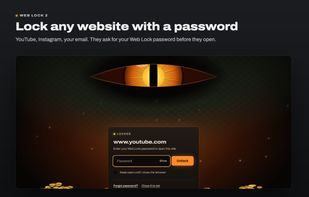
Web Lock screenshot 1

Cost / License

  • Freemium (Pay once or Subscription)
  • Proprietary

Application type

Platforms

  • Google Chrome
  • Microsoft Edge
3likes
0articles
Save

Features

Properties

Features

Highlights All activities

Web Lock News & Activities

Recent activities

Web Lock information

  • Developed by

    BD flagKhokon M.
  • Licensing

    Proprietary and Freemium product.
  • Pricing

    One time purchase ranging between $19 and $49, and / or subscription ranging between $1 and $3 per month + free version with limited functionality.
  • Alternatives

    5 alternatives listed
  • Badge

    Get an embeddable badge for Web Lock
  • Supported Languages

    • English
Web Lock was added to AlternativeTo by Khokon M. on and this page was last updated .

No comments or reviews, maybe you want to be first?

Official Links

What is Web Lock?

Web Lock is a browser extension that asks for a password before a website opens. You choose the sites, such as email, chats, photos or banking, and anyone who opens one of them sees a lock screen first. The site does not load until the password is entered. It is made for people who share a computer with family, roommates or coworkers.

Free features:

  • Lock any number of websites with one password
  • Block websites completely, with an optional redirect to another page
  • Lock the whole browser when it starts, and bring your tabs back after unlocking
  • Reset a forgotten password with a code sent to your recovery email
  • No account needed. The password and the list of sites stay in your browser

Web Lock Pro (paid, optional):

  • Schedules: lock or block a site at certain hours or days, or after a daily time limit
  • A separate password or PIN for individual sites
  • Fingerprint and face unlock (Touch ID, Windows Hello)
  • Auto-lock after time away from the computer
  • Uninstall protection, sync between computers, and lock screen themes

Web Lock works in the browser where it is installed. It does not lock desktop or phone apps.
