
Weavelyn icon
Weavelyn icon

Weavelyn

Every document tells a story. See how they connect. Visualize file relationships on Mac and Windows without moving files from their folders.
Weavelyn screenshot 1

Cost / License

  • Paid
  • Proprietary

Platforms

  • Mac
  • Windows
Weavelyn screenshot 1
Weavelyn screenshot 2
+3
Weavelyn screenshot 3
Alternatives
0likes
0alternatives
0articles
Save

Features

Features

Highlights All activities

Weavelyn News & Activities

Recent activities

Weavelyn information

AlternativeTo Category

Business & Commerce
Weavelyn was added to AlternativeTo by Paul on and this page was last updated .

No comments or reviews, maybe you want to be first?

What is Weavelyn?

Every document tells a story. See how they connect. Visualize file relationships on Mac and Windows without moving files from their folders.

How Weavelyn works:

  • Your files stay where they are: Drag files onto the canvas. They stay in Finder or Explorer. Click any node to open in its default app. No file migration, no cloud sync.
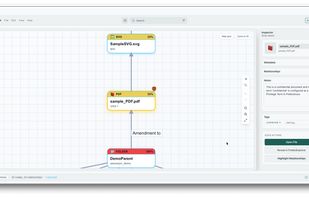
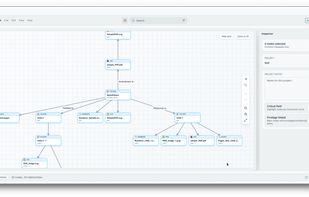
  • Map relationships visually: Connect documents with labeled arrows — "Response to," "Amendment to," "Evidence for" — or create your own. See how your case connects at a glance.
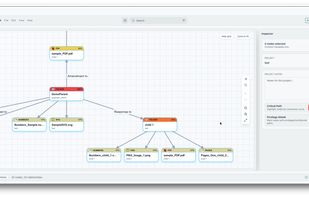
  • Critical Path Detection: Toggle Critical Path and instantly see which documents matter most. Each node shows its importance score based on connections. Find your key evidence in seconds, not hours.
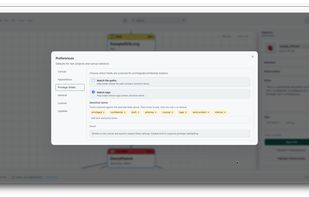
  • Privilege Shield: Automatically flags potentially privileged documents based on filenames and tags. Customize Privilege Shield terms in preferences. Never accidentally produce protected files.
  • One-click timeline view: Right-click any folder to generate a chronological layout. See how events unfolded. Essential for litigation timelines.
  • Tree view generation: Visualize hierarchical relationships instantly. See parent-child document structures. Understand case organization at a glance.
  • Powerful search: Search across filenames, notes, tags, and relationship labels. Filter by file type, connected nodes, or orphaned files. Find anything instantly.
  • Export everything: Export to PDF, PNG, or SVG. Generate reports for your reference. Bundle entire projects with embedded files for seamless handoff to colleagues.
  • Make it yours: Light, dark, or system theme. Grid or no background. Snap-to-grid alignment. Keyboard shortcuts for power users. Customize Privilege Shield terms.
  • Mac & Windows: Works on both platforms. Same features, same experience. Use what your firm uses.