Voice Recorder by WebcamEffects icon

Voice Recorder by WebcamEffects

Powered by Effects SDK's cutting-edge AI noise cancellation, this powerful Voice Recorder instantly eliminates unwanted background noise (like typing, traffic, and fan noise), ensuring only your voice is captured.
noise cancellation

Cost / License

  • Free
  • Proprietary

Platforms

  • Google Chrome
one-click
local
+1
formats
1like
0comments
0alternatives
0articles

Features

Properties

  1.  Privacy focused
  2.  Lightweight

Features

  1.  Ad-free
  2.  No registration required
  3.  No Tracking
  4.  Audio Recording
  5.  Voice Recording

Voice Recorder by WebcamEffects News & Activities

Highlights All activities

Recent activities

Voice Recorder by WebcamEffects information

  • Licensing

    Proprietary and Free product.
  • Alternatives

    0 alternatives listed
  • Supported Languages

    • English

AlternativeTo Categories

Audio & MusicWeb Browsers
Voice Recorder by WebcamEffects was added to AlternativeTo by Dmitry Myakishev on and this page was last updated .
No comments or reviews, maybe you want to be first?

What is Voice Recorder by WebcamEffects?

Powered by Effects SDK's cutting-edge AI noise cancellation, this powerful Voice Recorder instantly eliminates unwanted background noise (like typing, traffic, and fan noise), ensuring only your voice is captured. The feature is optional and can be disabled when you need to record ambient sounds.

? Key Features:

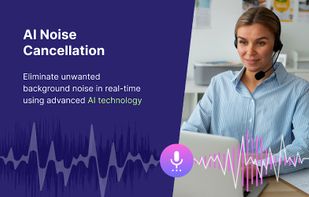
  • AI Noise Cancellation: Eliminate unwanted background noise in real-time using advanced AI technology. Enjoy clear voice recordings free from distractions.
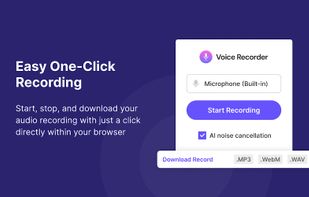
  • Easy One-Click Recording: Start, stop, and download your audio recording with just a click directly within your browser.
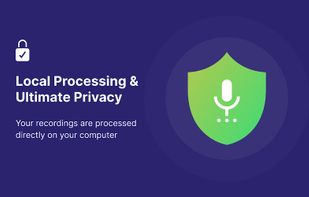
  • Local Processing & Ultimate Privacy: Your recordings are processed directly on your computer. Nothing ever leaves your machine – no cloud storage, no server uploads – ensuring absolute privacy and data security.
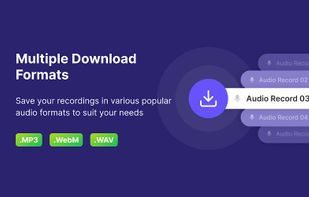
  • Multiple Download Formats: Save your recordings in various popular audio formats to suit your needs (MP3, WebM, WAV).
  • Built-in Microphone Test: Ensure your microphone is working correctly before you start recording with the convenient mic test feature.