Cloud voice dictation for Windows, macOS and Linux. Voca is not Vocalinux and has no connection to VocaHQ.
Press a hotkey, speak, and Voca types the text wherever your cursor is: your code editor, terminal, browser, Slack, email or AI chat. It works at the operating-system level, so it works in apps that have never heard of it. Most people speak at about 150 words a minute and type at about 60.
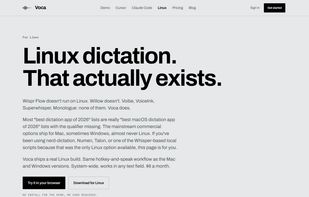
Voca runs on Windows 10 and 11, macOS (Apple silicon and Intel) and Linux, with full support for both X11 and Wayland. It also has an Android app. You can try it in your browser at usevoca.net/demo without an account or an install.
Features:
- One system-wide hotkey that types into any app
- Linux support on Ubuntu, Fedora, Arch, Debian, Pop!_OS and more, on X11 and Wayland
- Automatic clean-up of filler words and punctuation
- A custom dictionary for names, package names, file paths and jargon, synced across your devices
- Opt-in transcript history that you can search, copy and delete
- Web dashboard, plus record or upload audio files in the browser
Privacy: audio is held in one temporary file while it is transcribed, then deleted. It is never stored, backed up or used to train models. Transcript history is off until you turn it on. For billing, Voca keeps only the duration, word count, a timestamp and the model name. It does not keep your words.
Pricing:
- Free: 5 hours of transcription a month, no card needed
- Pay as you go: $0.10 per hour of audio, with prepaid credits that never expire (top up from $2)
- Pro: $6 a month for unlimited transcription and a higher-quality model
- Team plans with shared credits and per-seat Pro billing are also available






 EU
EU


 shaypunter added Voca as alternative to Vibe Transcribe, FUTO Voice Input, OpenWhispr, Spokenly and 47 more
 Shay Punter


No comments or reviews, maybe you want to be first?