vNOS is a community where network engineering enthusiasts build labs for each other. Design a network, inject faults, publish it, and see who can fix it. Everything runs in your browser, with nothing to download or install.
BUILD YOUR OWN LABS
Lab Builder lets you design your own topology with routers, switches, hosts, servers and firewalls, then choose a lab type:
Network Troubleshooting: pick the topics, and vNOS injects the faults and writes a realistic incident ticket.
Network Security: vNOS adds security weaknesses for learners to find and fix by hardening the network.
Network Configuration: set a task to build a networking feature from scratch.
Sandbox: every device starts at factory defaults. Free play, nothing graded. vNOS checks your design, builds it and runs it as a live lab you can launch and share.
LEARN WITH THE COMMUNITY
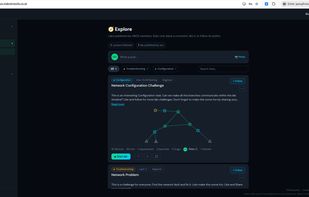
Explore: launch labs other members have published, like them, comment and follow their authors.
Post questions and progress, and follow other learners.
Share your results to LinkedIn if you want to.
REAL NETWORKS, AUTOMATIC MARKING
Every lab runs real routing software on its own live network, not a simulation. You type real commands on an industry-standard command line. vNOS checks your devices against the lab's goals and shows what passed. The labs cover OSPF, BGP, VLANs, spanning tree, LACP, NAT, IPv6, ACLs and network security, at CCNA and CCNP level.







 vLAB Networks Ltd


No comments or reviews, maybe you want to be first?