VisorPro icon
VisorPro icon

VisorPro

VisorPro is an advanced, lightweight macOS utility that replaces standard system overlays with highly customizable visual indicators and real-time trackers. Natively optimized for Apple Silicon & Intel.
VisorPro screenshot 1

Cost / License

  • Free
  • Source Available

Platforms

  • Mac
VisorPro screenshot 1
VisorPro screenshot 2

Features

Properties

  1.  Lightweight
  2.  Privacy focused

Features

  1.  Works Offline
  2.  Ad-free
  3.  No registration required
  4.  Custom overlays
  5.  No Tracking
  6.  Interface Overlay
  7.  Apple Silicon support
  8.  OSD

VisorPro News & Activities

Highlights All activities

Recent activities

VisorPro information

AlternativeTo Categories

Photos & GraphicsOS & UtilitiesSystem & Hardware

GitHub repository

  •  7 Stars
  •  0 Forks
  •  0 Open Issues
  •   Updated  
View on GitHub
VisorPro was added to AlternativeTo by Paul on and this page was last updated .
No comments or reviews, maybe you want to be first?

Official Links

What is VisorPro?

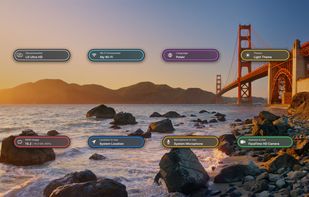
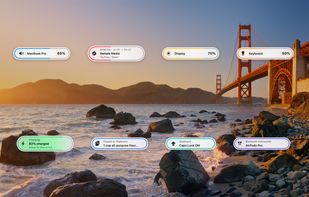
VisorPro is an advanced, fully native macOS utility designed to elevate your system experience by providing sleek, customizable on-screen displays (OSD) and trackers for everyday system events. Say goodbye to the native macOS volume and brightness overlays, and embrace a modern aesthetic that seamlessly integrates with your workspace.

Features:

  • 100% Native & Fast: Built entirely in Swift and SwiftUI. Universally optimized for maximum performance on both Apple Silicon (M-series) and Intel processors.
  • Interactive OSD Overlays: Overlays are fully clickable. Interact with them to expand panels, change system states, or reveal more information on demand.
  • 6 Screen Positions: Total layout freedom. Choose from 6 different locations on your screen to place the overlays exactly where they suit you best.
  • Audio Feedback: Set a custom invocation sound that subtly plays whenever an overlay appears on your screen.
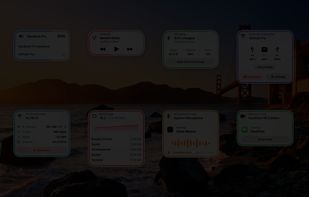
  • Ultimate Customizability: Granular control via a rich Settings dashboard. You can freely toggle individual overlays on or off, tweaking their behavior to match your needs.
  • System Trackers: Real-time monitoring for Battery, Wi-Fi, Bluetooth, Peripherals, and Mac System states (CPU, RAM).
  • Media Controls: Enhanced visual feedback when playing/pausing or skipping media.