





Vision AI: Photo Cleaner
Like
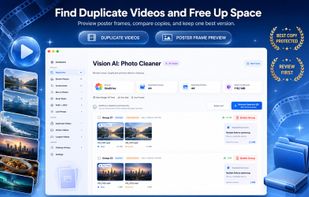
Detects duplicate, similar, blurry, and unwanted images or videos on Mac with privacy-focused on-device analysis, supports Photos Library and cloud folders, offers filter, side-by-side comparison, user previews, undo, and cleanup history, with no auto-removal.

Cost / License
- Freemium (Pay once or Subscription)
- Proprietary
Application typeApplication types
Platforms
- Mac


Features
Vision AI: Photo Cleaner News & Activities
Highlights All activities
Recent activities
- solaris09 added Vision AI: Photo Cleaner
- Fla updated Vision AI: Photo Cleaner
 solaris09 added Vision AI: Photo Cleaner as alternative to Duplicate File Finder, Gemini 2, Ollie - AI Photo Organizer, VES - Image and Photo Compare and 7 more


Vision AI: Photo Cleaner information
Developed by
 DijitalWorlds
 Licensing
Proprietary and Freemium product.Pricing
One time purchase that costs $40, and / or subscription ranging between $4 and $20 per month + free version with limited functionality.Alternatives
11 alternatives listedBadge
Get an embeddable badge for Vision AI: Photo CleanerSupported Languages


No comments or reviews, maybe you want to be first?