Vector Converter Tool Alternatives

Vector Converter Tool is described as '💥 Easily converts SVG, AI, CDR, PS, WMF, and other vector files to PNG, PDF, PS, EPS, and back' and is an app in the photos & graphics category. There are more than 100 alternatives to Vector Converter Tool for a variety of platforms, including Windows, Web-based, Mac, iPhone and Android apps. The best Vector Converter Tool alternative is PDF24 Creator, which is free. Other great apps like Vector Converter Tool are Adobe Acrobat DC, PDFCreator, Smallpdf and Qoppa PDF Studio.

Copy a direct link to this comment to your clipboard
Vector Converter Tool alternatives page was last updated

Alternatives list

  1. PDFescape icon
     17 likes
    Copy a direct link to this comment to your clipboard

    PDFescape is your free, online PDF reader, editor, form filler, & form designer. Without required downloads or installations! Without watermarks! Without required registration!

    92 PDFescape alternatives

    Cost / License

    • Freemium (Subscription)
    • Proprietary

    Application types

    Platforms

    • Windows
    • Online
     
  2. UniPDF icon
     8 likes
    Copy a direct link to this comment to your clipboard

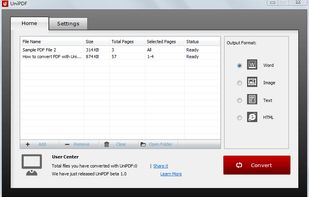
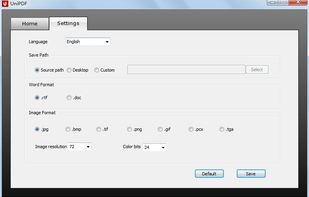
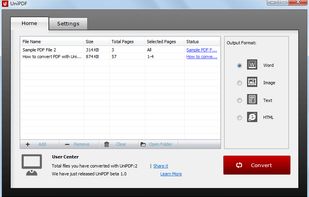
    Standalone and easy-to-use, UniPDF performs accurate conversion from PDF files to word documents (doc/rtf), images (JPG/PNG/BMP/TIF/GIF/PCX/TGA), HTML, or plain text files (txt) in batch mode, with all document texts, layouts, images and formatting ideally preserved.

    Cost / License

    • Freemium
    • Proprietary

    Platforms

    • Windows
     
  3. Copy a direct link to this comment to your clipboard

    Kingshiper File Compressor is a file compression software that includes Video Compressor, GIF Compressor, Audio Compressor, Image Compressor, PDF Compressor, Word Compressor, PPT Compressor, and Excel Compressor.

    Cost / License

    • Freemium (Subscription)
    • Proprietary

    Platforms

    • Windows
     
  4. DeftPDF icon
     5 likes
    Copy a direct link to this comment to your clipboard

    An all-in-one free online PDF editor that does not require subscriptions or installations! DeftPDF is a free online tool that makes editing and converting PDF easy in just a few clicks!.

    Cost / License

    • Freemium (Subscription)
    • Proprietary

    Application type

    Platforms

    • Online
    • Chrome OS
    • Software as a Service (SaaS)
     
  5. Copy a direct link to this comment to your clipboard

    Text to PDF, scan QR & Barcode to PDF, excel to PDF. It’s easy to use and 100% free.

    This app is like a one-stop solution. Try it now!

    Cost / License

    • Free
    • Proprietary

    Platforms

    • Android
     
  6. Copy a direct link to this comment to your clipboard

    AVS Document Converter is an easy-to-use software application designed to view and convert various types of documents. AVS Document Converter can quickly and easily perform the following tasks:

    Cost / License

    • Freemium
    • Proprietary

    Platforms

    • Windows
     
  7. PDFZilla icon
     4 likes
    Copy a direct link to this comment to your clipboard

    PDFZilla is a desktop software designed to convert PDF files into various formats. These formats include editable MS Word Documents, Rich Text Documents, Plain Text Files, Images, HTML Files, and Shockwave Flash SWF Files.

    Cost / License

    • Pay once
    • Proprietary

    Platforms

    • Windows
     
  8. Copy a direct link to this comment to your clipboard

    Apowersoft PDF Converter is a one-stop PDF tool, which not only contains tools to converting PDF file to other formats, but can also convert other formats to PDF, even more, it can merge PDF, split PDF, extract images, OCR, encrypt/decrypt PDF, etc.

    Cost / License

    • Subscription
    • Proprietary

    Platforms

    • Windows
     
  9. Copy a direct link to this comment to your clipboard

    The File Converter will convert to and from nearly any file format!

    The File Converter can convert Videos, Audio, Documents, Ebooks, Images and Archives!

    1. Choose your input file

    2. Choose your output file format and file name

    3. Convert!

    4. Open your file in another app su.

    Cost / License

    • Paid
    • Proprietary

    Platforms

    • iPhone
    • iPad
     
You are at page 4 of Vector Converter Tool alternatives