
UTIdefaults icon
UTIdefaults icon

UTIdefaults

Easily manage default apps, file extensions, and UTIs on macOS with full control over standard, viewer, and editor application roles.
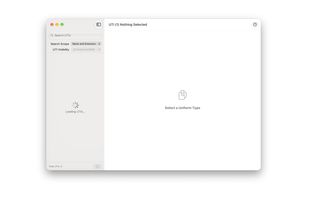
Loading

Cost / License

  • Free
  • Proprietary

Platforms

  • Mac
0likes
0articles
Save

Features

No features, maybe you want to suggest one?

Highlights All activities

UTIdefaults News & Activities

Recent activities

UTIdefaults information

AlternativeTo Category

OS & Utilities
UTIdefaults was added to AlternativeTo by fiod3s on and this page was last updated .

No comments or reviews, maybe you want to be first?

Official Links

What is UTIdefaults?

Take full control of file associations on macOS with UTIdefaults, a modern, native utility designed to streamline how your system opens and edits files.

Built entirely with SwiftUI and optimized for both Apple Silicon and Intel Macs, UTIdefaults provides a fast, centralized interface to inspect, search, and manage default applications for your macOS user account by UTI (Uniform Type Identifier), eliminating the need to manually adjust settings file-by-file in Finder.

Key Features:

  • Centralized File Association: Quickly view and set default applications for documents, media, source code, archives, and other file formats.
  • Standard & Advanced Modes: Use Standard Mode for a familiar, Finder-like workflow, or switch to Advanced Mode to configure Viewer and Editor roles independently.
  • Smart Search Scope: Easily find file types by name, extension, or both. Search extensions with or without a leading dot (e.g., txt or .txt).
  • Flexible UTI Visibility: Tailor your view with three flexibility levels—Preferred MIME for a clean overview, Selectable UTIs for actionable items, or Show All UTIs for comprehensive system inspectability.
  • Do Nothing Handler: Assign a built-in, lightweight helper app to file types you prefer macOS to handle it without actually launching external programs.
  • Modern & High-Performance: Distributed as a Universal Binary featuring a multithreaded architecture for a responsive, single-window user experience.

Note: UTIdefaults manages UTIs registered within macOS LaunchServices. For custom file extensions to appear, at least one installed application must declare the corresponding UTI in its metadata.

