


UseScreen
Are you facing neck pain, headache, myopia and other COMPUTER VISION SYNDROMES effects? Do you want to boost your productivity and want to manage it? Do you to be better user of your PC? Here you are, UseScreen solves all this issues.
Cost / License
- Free Personal
- Proprietary
Platforms
- Windows

Features
UseScreen News & Activities
Recent activities
UseScreen information
Developed by
Sumit GuptaLicensing
Proprietary and Free Personal product.Pricing
One time purchase (perpetual license) that costs $0.Alternatives
4 alternatives listedSupported Languages
- English
AlternativeTo Category
Office & Productivity


What is UseScreen?
WHAT IS IT?
Are you facing neck pain ,headache, myopia and other COMPUTER VISION SYNDROMES effects? Do you want to boost your productivity and want to manage it ? Do you to be better user of your PC? Here you are, UseScreen solves all this issues.
WHY ?
According to a research
the chance of myopia increases if a person’s screen time is greater than 2 hr (in children) to 7 hr per week. This can be reduced by taking small breaks during screen time which helps our ciliary muscles to relax.
www.ihasco.co.uk suggests that short, frequent breaks are better than less frequent longer breaks, so a 5-10 minute break after 50-60 minutes is better than a 20 minute break every 3 hours.
HOW ?
Use the Binaural Beats
Set binaural beats and use them in breaks, isn't it amazing!. Think how much it will boost your productivity.
Equipped with Advance features
Find the best features that are just enough for you to take control on your Screen use
Get a lot of layout options
Set the layout the way you want, with so many options available
Easy interface
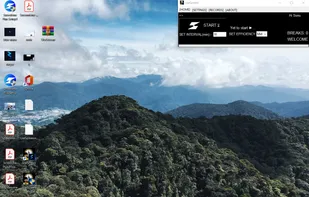
The app window will remind you of the window 7 gadgets. Its that easy to control the app and even children can use it easily.
Control efficiency with Pomodoro and 20-20 rule more precisely
The new app has a in build efficiency system to yet you get the most out of your limited attention
Like the Scientific way!
The app is fully based on the research data of various websites. Have a look here -
Protects From Screen Time
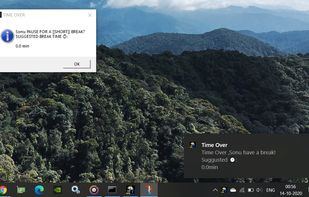
Whenever you plan to work ,study or play on your computer you can just start Screetime ,set the time interval( < 6 hr) and start your task and it will remind you to stop for a very short break.
Makes You Productive
Do you know about the Pomodoro Technique?It’s a way to do a task in such that our focus remains the same throughout the work duration.