URL to Design.md icon

URL to Design.md

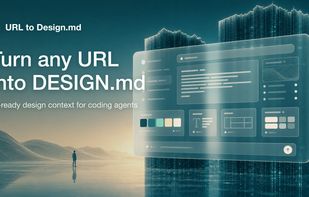
Generate an AI-ready DESIGN.md from any public website URL.
URL to Design.md screenshot 1

Cost / License

  • Freemium (Pay once)
  • Proprietary

Platforms

  • Online
URL to Design.md screenshot 1
0likes
0comments
0alternatives
0articles

Features

No features, maybe you want to suggest one?

URL to Design.md News & Activities

Highlights All activities

Recent activities

URL to Design.md information

  • Licensing

    Proprietary and Freemium product.
  • Pricing

    One time purchase (perpetual license) ranging between $4 and $29 + free version with limited functionality.
  • Alternatives

    0 alternatives listed
  • Supported Languages

    • English

AlternativeTo Categories

DevelopmentPhotos & Graphics
URL to Design.md was added to AlternativeTo by Wujie Li on and this page was last updated .
No comments or reviews, maybe you want to be first?

What is URL to Design.md?

URL to Design.md: Generate AI-ready DESIGN.md briefs from public webpages

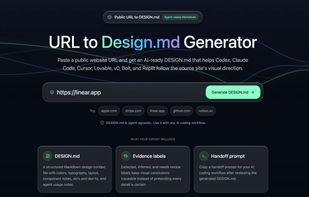
URL to Design.md helps AI-assisted frontend builders turn a public website URL into a structured Markdown design context package. Instead of asking Codex, Claude Code, Cursor, Lovable, v0, Bolt, or Replit to follow a vague screenshot prompt, paste a public page and get a DESIGN.md that describes visual direction, layout hierarchy, colors, typography, spacing, components, interaction notes, evidence labels, and agent handoff prompts.

One URL, Agent-Ready Design Context

  1. Public URL to DESIGN.md — Extract visible structure, CTA hierarchy, visual signals, and page patterns into a reusable Markdown brief.
  2. Design Tokens and Components — Summarize colors, type scale, spacing, radius, shadows, buttons, cards, forms, navigation, hero blocks, and footer patterns.
  3. Evidence Labels — Mark conclusions as detected, inferred, or needs review so builders know what came from page evidence and what requires judgment.
  4. Agent Handoff Prompts — Copy prompts for Codex, Claude Code, Cursor, Lovable, v0, and generic AI coding workflows.
  5. Responsible Boundaries — Works with public webpages only and focuses on design context, not private pages, proprietary asset copying, editable Figma layers, or pixel-perfect cloning.