Unfold AI icon
Unfold AI icon

Unfold AI

 Like

Browser extension for Chrome and Firefox that summarizes long AI chat answers locally, adds a clickable section map, and saves excerpts on your device.
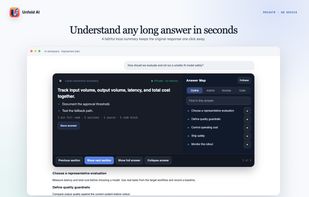
A local summary and the shape of a long AI answer

Cost / License

  • Free
  • Open Source (MIT)

Since

  • Since 2026 (updated Nov 2026)

GitHub

  • GitHub stars: 1

Platforms

  • Google Chrome  Chrome 109 or later.
  • Mozilla Firefox  Firefox 140 or later on desktop, Firefox for Android 142 or later.
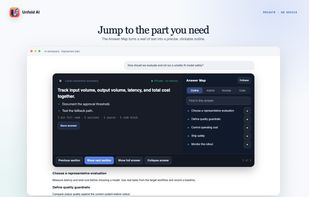
Answer Map: jump to any section
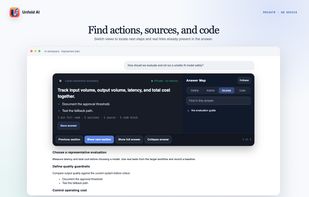
Actions, real source links and code already in the answer
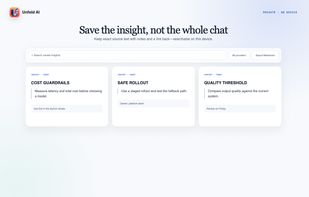
Saved Insights: a private local library with notes and export
Alternatives
0likes
0alternatives
0articles
Save

Features

Features

 Tags

Highlights All activities

Unfold AI News & Activities

Recent activities

  • Kapisch Bhardwaj added Unfold AI

Unfold AI information

AlternativeTo Category

AI Tools & Services

GitHub repository

  •  1 Star
  •  0 Forks
  •  11 Open Issues
  •   Updated  
View on GitHub
Unfold AI was added to AlternativeTo by Kapisch Bhardwaj on and this page was last updated .

No comments or reviews, maybe you want to be first?

What is Unfold AI?

Unfold AI is a browser extension for Chrome and Firefox. It works on seven AI chat sites: ChatGPT, Claude, Gemini, Grok, Perplexity, DeepSeek and Manus. When a long answer finishes generating, Unfold adds a reading layer next to it, and short answers are left alone.

The layer shows a one-sentence bottom line and key points taken from the answer. In Chrome it can use the browser's built-in on-device summarizer when the browser offers one. Otherwise, and always in Firefox, it uses a local extractive summary. An Answer Map lists the answer's sections, action items, links and code blocks, with search inside the answer.

Three reading modes control how much is shown at once: Focus (one section), Balanced (two sections) and Full context. Keyboard shortcuts move between sections, and the full original answer can be restored with one click. You can save exact answer text with a note to a local library, then search it, copy it, export it as Markdown, or back it up and restore it as JSON.

There is no account and no analytics. The extension makes no network requests of its own. MIT licensed.