





Tuck Video Editor
Like
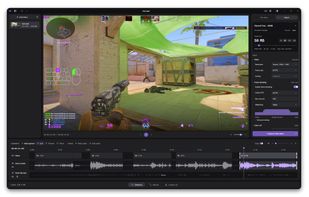
Tuck is a free, open-source video editor for Windows and Linux, built around FFmpeg. It lets you trim recordings, edit audio, and make clips small enough to share.

Cost / License
- Free
- Open Source (GPL-3.0)
Application type
Platforms
- Windows
- Linux

Features
Highlights All activities
Tuck Video Editor News & Activities
Recent activities
- aechXIII added Tuck Video Editor
 aechXIII added Tuck Video Editor as alternative to LosslessCut and Shutter Encoder


Developed by
aechXIIILicensing
Open Source (GPL-3.0) and Free product.Written in
Alternatives
2 alternatives listedBadge
Get an embeddable badge for Tuck Video EditorSupported Languages

AlternativeTo Category
Video & MoviesGitHub repository
- 10 Stars
- 0 Forks
- 0 Open Issues
- Updated

No comments or reviews, maybe you want to be first?