


Trunk Notes
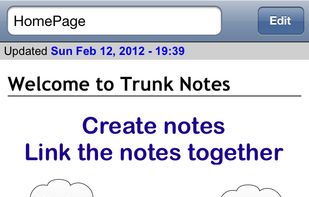
Trunk Notes is a powerful note taking app and personal wiki. Create notes, format notes, and link notes together. Trunk Notes is the app for notes on the move.
Cost / License
- Pay once
- Proprietary
Application types
Alerts
- Discontinued
Platforms
- iPhone
- iPad

Unfortunately, this program is discontinued — https://appsonthemove.com/blog/2018/11/12/discontinuingtrunknotes/.

Features
- Note organization
 Sync with Dropbox
- Wiki
Tags
- Task Manager
- getting-things-done
- organizer
Trunk Notes News & Activities
Recent activities

Trunk Notes information
Developed by
 Apps On The Move Limited
 Licensing
Proprietary and Commercial product.Pricing
One time purchase (perpetual license) that costs $4.Alternatives
21 alternatives listedSupported Languages
- English


Featured in Lists

A list with 132 apps by christineconnor without a description.
What is Trunk Notes?
Trunk Notes is a powerful note taking app and personal wiki. Create notes, format notes, and link notes together. Trunk Notes is the app for notes on the move.
Use Trunk Notes as a simple note taking app - or use it's advanced features to create your own personal wiki with dynamic content, images, sound recordings and more.
Use Trunk Notes for notes, shopping lists, journals, todo items, in-depth information about their business and more. Keep private information private with AES-256 encryption. Edit information both on your iOS device and in a web browser by connecting to Trunk Notes over wi-fi on your computer.
Key Features
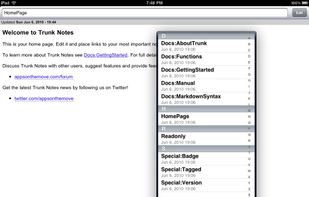
- Quickly search for notes by title or body text
- Add formatting to your notes using Markdown (this App Store description is written in Markdown - see how simple it is!)
- Add images from the camera and photo library to your wiki
- Record sound
- This app includes both iPhone/iPod Touch AND iPad versions - no need to buy two apps
- Sync Trunk Notes to a Dropbox account to allow easy working on multiple iOS devices
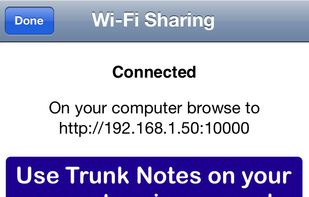
- Connect to Trunk Notes running on your iOS device from your web browser - create, edit and search your wiki on your computer
Editing
- Supports Markdown formatting
- Toolbar allows you to quickly create headings and lists
- Insert timestamps
- Insert links to other pages, images and sounds
Personal Wiki
- Create links between pages - for example LinkToPage will automatically become a link to the page called LinkToPage
- Include links to websites or to documents in supported applications
- Your notes can be browsed just like a web browser (home button, back, forwards)
Other features:
- Notes are geotagged
- Mail notes - including formatting and images
- Tag notes
- Backup all your text notes to a zip file
- Import text notes using the Wi-Fi Sharing feature
- Create a stylesheet to completely customize the look of your wiki
- Supports TextExpander touch snippet expansion
Official Links
There are no links for this app, or they've been disabled.