


Trellian WebPage
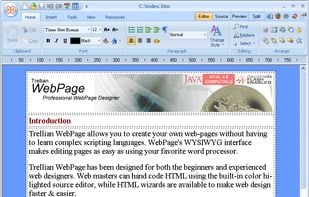
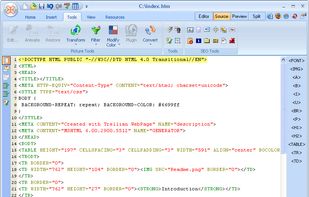
Trellian WebPage allows you to create web pages using WYSIWYG (What You See Is What You Get) interface; makes editing pages as easy as using a word processor. Advanced users can hand code HTML using the built in color highlighted source editor.
Cost / License
- Free
- Proprietary
Alerts
- Bundleware
- Discontinued
Platforms
- Windows
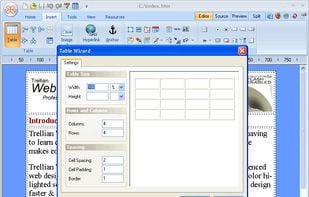
bundleware and there are ads on the program: https://app.any.run/tasks/c2e60485-23dd-435e-9989-085b9886615d
Website is no longer available.

Features
- WYSIWYG HTML Editor
Tags
- html-editor
Trellian WebPage News & Activities
Recent activities
- MarMi commented on Trellian WebPage
Discontinued, download removed in 2020, program website no longer exists.
Trellian WebPage information
Developed by
 Trellian
 Licensing
Proprietary and Free product.Alternatives
13 alternatives listedSupported Languages
- English
AlternativeTo Category
Development


What is Trellian WebPage?
WebPage Features :
Import pages You can easily download the current version of your web pages for editing.
Absolute positioning of HTML elements Makes layering elements easy!
Color highlighted HTML Editor Simplifies source code editing.
Meta Tag editor Meta tags help to describe your pages to visitors and search engines.
Drag & drop interface Drag elements, such as images, rather than trying to edit the code.
Built-in document spellchecker No more uploading pages with spelling mistakes!
Easy image conversion and resampling tools Convert images to various formats.
Undo function Easily undo any changes by clicking the undo button.
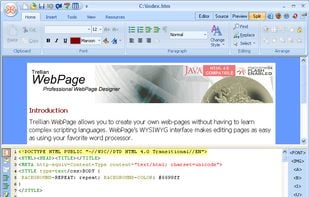
Split screen editor mode Edit your source code and instantly see the changes to your page.
Preview mode Preview your page in various resolutions eg. 640x480, 800x600 and 1024x786.
Intuitive Interface The most commonly used features are easily accessible via buttons.
Official Links
There are no links for this app, or they've been disabled.
Comments and Reviews
Discontinued, download removed in 2020, program website no longer exists.