
Tracking icon
Tracking icon

Tracking

Tracking is the all-in-one tool to analyze the application launches, the system changes inside your computer. Tracking also analyzes your volumes to give you a reliable indication of the hours of mouting, unmounting, renaming of your volumes.
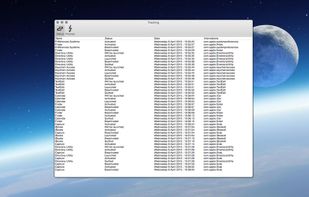
Tracking screenshot 1

Cost / License

  • Free
  • Proprietary

Platforms

  • Mac
1like
0comments
0alternatives
0articles

Features

No features, maybe you want to suggest one?

Tracking News & Activities

Highlights All activities

Recent activities

No activities found.

Tracking information

  • Developed by

    FR flagRbcafe
  • Licensing

    Proprietary and Free product.
  • Alternatives

    0 alternatives listed
  • Supported Languages

    • English

AlternativeTo Category

OS & Utilities
Tracking was added to AlternativeTo by Rbcafe on and this page was last updated .
No comments or reviews, maybe you want to be first?

What is Tracking?

Tracking is the all-in-one tool to analyze the application launches, the system changes inside your computer. Tracking also analyzes your volumes to give you a reliable indication of the hours of mouting, unmounting, renaming of your volumes.

Applications :

  • Analysis of the launch of an application.
  • Analysis of the extinction of an application.
  • Analysis of the application activation / deactivation.
  • Analysis of the hidden state of an application.

System :

  • Analysis of the system sleep state.
  • Analysis of the system wake state.
  • Analysis of the activation of a session.
  • Analysis of the end of a session.
  • Analysis of spaces.

Screen :

  • Analysis of the screen wake state.
  • Analysis of the screen sleep state.

Volumes :

  • Analysis of the mounting of a volume.
  • Analysis of the unmounting of a volume.
  • Analysis of the renaming a volume.

Tracking allows you to export the data in CSV format.

Features :

  • Export data in CSV format.
  • Results cleaning.
  • Full screen mode.

Official Links

