Your complete storyboarding solution.
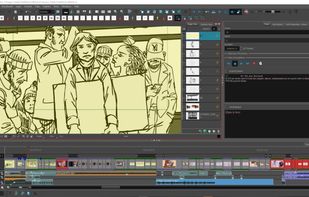
The only professional-grade solution designed from the ground up to support the craft of storyboarding. Whether you are thumbnailing your first pass, refining the visual storytelling on your project, pitching your boards or timing out camera moves in an animatic, Storyboard Pro is built to support your creative work throughout the preproduction process. Learn why storyboard artists, directors and studios around the world rely on Storyboard Pro.
The right solution that fits your needs
Storyboard Pro is available in flexible licensing options, tailored to meet the unique needs of both professional studios and students.
Panel timer
A new view for capturing panel timing live, by tapping while you perform dialogue and actions. Two modes are available: Create New Panels, where each tap creates a panel at that beat length, and Apply to Selection, where recorded timing is applied to an existing panel selection.
After recording, a review table shows the old and new duration for each panel so you can adjust values before committing. Audio can optionally be recorded during the session and imported directly into the Timeline. The Panel Timer also works with Thumbnailing Pages, allowing individual thumbnails to be timed independently.
Photoshop import: Clipping mask
PSD imports now preserve clipping mask relationships. Clipped layers come in as individually selectable and editable layers, not flattened, with layer order, naming, and group structure intact. Per-layer opacity and blending modes on mask layers are supported. Blending modes on clipped layers are not supported in this release.
Photoshop import: Blending modes
24 Photoshop blending modes are now preserved on import and mapped to their equivalents in the Effect Stack view, where they remain fully editable after import. Layers using unsupported modes (Dissolve, Darker Color, Lighter Color, Hard Mix) are set to Normal.







 Paul added Toon Boom Storyboard Pro as alternative to Storyboarder, Storyboard That, StoryBoardHero and Storyboard Generator
 Toon Boom

No comments or reviews, maybe you want to be first?