




TOMS - Turn Off Mouse Screen
Like
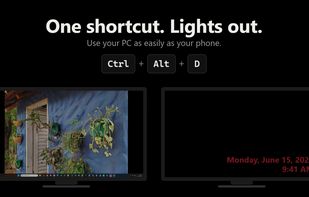
Black out the screen under your mouse with one shortcut and keep working on the others. Also captures any part of the screen and pastes it straight into the active app.

Cost / License
- Pay once
- Proprietary
 EU
EUPlatforms
- Windows


Features
Highlights All activities
TOMS - Turn Off Mouse Screen News & Activities
Recent activities
- CedricDDesigns added TOMS - Turn Off Mouse Screen
- Fla updated TOMS - Turn Off Mouse Screen
 CedricDDesigns added TOMS - Turn Off Mouse Screen as alternative to Turn Off Monitor, Black Screen, MonitorOff, Monitor Off and 5 more

Developed by
 Cedric D Designs
 Licensing
Proprietary and Commercial product.Pricing
One time purchase (perpetual license) that costs $4.Alternatives
9 alternatives listedBadge
Get an embeddable badge for TOMS - Turn Off Mouse ScreenSupported Languages


No comments or reviews, maybe you want to be first?