


Time To Focus: Block Websites
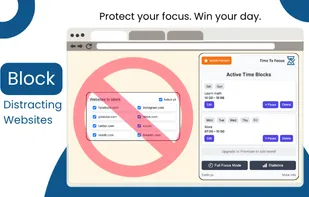
Block distracting sites, build better habits, and stay focused with smart time-management tools right inside your browser.
Cost / License
- Freemium (Pay once or Subscription)
- Proprietary
 EU
EUPlatforms
- Google Chrome
- Microsoft Edge
- Mozilla Firefox
- Opera
- Brave

Time To Focus: Block Websites
Features
Properties
- Privacy focused
- Lightweight
Features
- No registration required
- Reminders
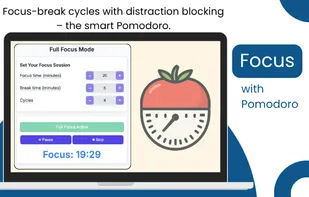
- Pomodoro Timer
- Dark Mode
- No Tracking
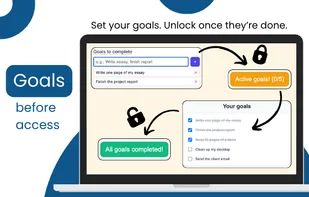
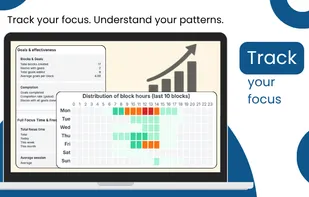
- Goal Tracking
- Ad-free
- Goal Setting
- Stay Focused
- Website blocking
- Timer
Tags
Time To Focus: Block Websites News & Activities
Recent activities
- PG_Builds added Time To Focus: Block Websites
Time To Focus: Block Websites information
Developed by
 ExtensioHub
 Licensing
Proprietary and Freemium product.Pricing
One time purchase that costs $50, and / or subscription ranging between $3 and $29 per month + free version with limited functionality.Alternatives
0 alternatives listedSupported Languages
- English
- Polish
What is Time To Focus: Block Websites?
Search and extract email addresses instantly from any website you visit - fast, simple, and privacy-friendly.
Tired of manually hunting for contact emails on websites? With Email Extractor, you can grab all visible email addresses from any webpage with a single click - right inside your browser.
🔍 Scan Options Choose between scanning full HTML or just visible text - you’re always in control.
📋 Export & Copy Copy results to your clipboard, or export to TXT and CSV files for quick follow-up.
? Advanced Filters (Premium) Filter emails by domain, top-level domain (TLD), blacklist, or specific keywords to refine your results with precision.
🌐 Scan Multiple URLs (Premium) Paste a list of URLs and search emails from all of them automatically - perfect for outreach campaigns and professional research.
📊 Built-in Stats Track how many emails you've found, from how many sites, and keep your daily streak going.
🔒 No tracking. No data collection. Ever. All processing happens locally in your browser. No emails or page content is sent anywhere.
? Works on almost all websites ? Modern, clean interface ? Built for performance and simplicity
Install now and make email extraction effortless - with total privacy and flexibility.