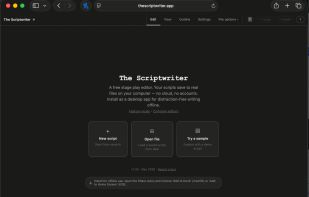
The Scriptwriter is a free editor built specifically for writing stage plays. It runs as a single HTML file in any modern browser, installs as a desktop app via PWA on every major OS, and works fully offline. There are no accounts, no cloud sync, no subscriptions, and no telemetry — every feature is available from the first visit and your scripts save as real files on your computer that you own and control.
Built around the conventions stage plays actually need, The Scriptwriter tracks character entrances and exits per scene as visual cue chips, validates drag-and-drop reordering against character presence, and renders Cue, Dialogue, and Stage Direction line types correctly out of the box. A Smart Input mode auto-detects line types from natural typing (HELEN: Good morning becomes dialogue automatically) with fuzzy matching to catch character-name typos. Notes and comments can be attached to any line, scene, or act with a resolved/unresolved workflow, and a bookmarks panel lets you jump back to anything you want to revisit. Inline editing lets you double-click any line to revise it in place, and a 50-step undo keeps your changes safe.
Organization features include scene cards with color labels and status markers, an outline view, character relationship mapping, pacing visualization, and rehearsal sides export for table reads. The expandable character panel lets you search a character's dialogue history and click any line to jump to it. Auto-numbered acts and scenes can be locked for production drafts, and an optional auto-formatting mode handles character-name capitalization, parenthetical wrapping, and whitespace cleanup as you type.
Import and export work with the open Fountain plain-text format and Final Draft (.fdx), so your work is portable to any major script editor and never locked in. The PDF export produces a print-ready formatted stage play with title page, character list, and table of contents. The app is mobile-responsive with full touch drag-and-drop, supports light and dark themes, and — once installed — registers itself as a handler for .fountain, .fdx, and .json files so they open directly from Finder or Explorer. Save your script into a folder synced by iCloud, Dropbox, Drive, or OneDrive for cross-device sync without an account. The entire app is a single self-contained HTML file with no server dependency — save a copy and you have a working offline stage play editor even if the website itself disappears.







 gasperjw1 added The Scriptwriter as alternative to Final Draft, Celtx, Fountain+, Practical Scriptwriter and 1 more
 Yash Mahtani

No comments or reviews, maybe you want to be first?