DataSieve: Text to Data icon

DataSieve: Text to Data

Extract emails, phone numbers, dates, and more from any text or file. Fast, accurate, and private — DataSieve turns unstructured text into clean data.

DataSieve: Text to Data screenshot 1

Cost / License

  • Pay once or Subscription
  • Proprietary

Platforms

  • Mac
  • iPhone
  • iPad
DataSieve: Text to Data screenshot 1
DataSieve: Text to Data screenshot 2
+2
DataSieve: Text to Data screenshot 3
0likes
0comments
0alternatives
0articles

Features

No features, maybe you want to suggest one?

DataSieve: Text to Data News & Activities

Highlights All activities

Recent activities

DataSieve: Text to Data information

  • Developed by

    IT flagAlberto Malagoli
  • Licensing

    Proprietary and Commercial product.
  • Pricing

    One time purchase that costs $15, and / or subscription that costs $12 per month.
  • Alternatives

    0 alternatives listed
  • Supported Languages

    • English

AlternativeTo Category

Office & Productivity

Apple AppStore

  •   Updated 
  •   3 avg rating
DataSieve: Text to Data was added to AlternativeTo by Alberto Malagoli on and this page was last updated .
No comments or reviews, maybe you want to be first?

What is DataSieve: Text to Data?

Extract emails, dates, URLs, and more from any text, file, folder, or archive — fast, accurate, and private.

DataSieve helps you turn unstructured text into clean, organized data in seconds. Drag & drop files/folders or select archives to extract multiple data types at once — whether analyzing documents, cleaning data, or pulling key info, it works instantly and locally.

Perfect for: Developers, analysts, researchers, writers, and anyone who works with text or documents.

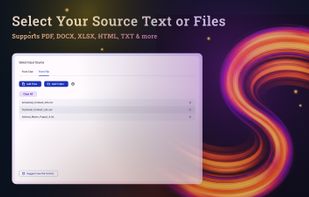
Supported input formats: Text, JSON, HTML, CSV, XLSX, ODS, Word (DOCX), ODT, PDF, EPUB, ZIP & other archives, folders, and more.

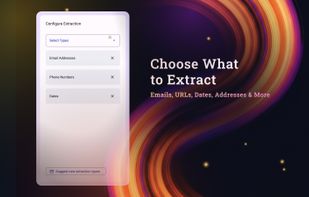
Extractable data: Emails, phone numbers, URLs, dates, addresses, hashtags, coordinates, credit card numbers, keywords, file paths, and more.

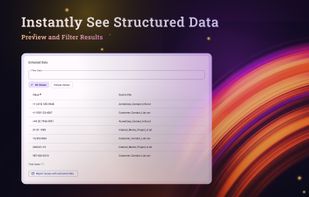
Export options: Copy as text, JSON, or HTML — or export as CSV, XLSX, DOCX, ODS, or ODT.

Private by design: DataSieve works entirely offline. No cloud, no tracking, no data sharing — your information never leaves your device.

Use cases:

  • Extract contact info from text, documents, folders, or archives
  • Parse data from reports, code, logs, PDFs, or EPUBs
  • Clean and organize batch files for analysis
  • Collect structured info for research

Stop searching by hand — DataSieve finds your data for you.

Official Links