TernOS is a PalmOS-inspired operating system for modern e-ink microcontroller devices.
It targets hardware such as the XTEink X4 and M5Paper, provides a shared runtime and UI layer, and will be able to run native Rust applications as well a growing set of classic Palm applications.
Current devices supported
- XTEink X4 (ESP-C3 RiscV core, ~512kb RAM, 480x800 epd, no touch)
- M5Stack M5Paper (ESP32 xtensa core, 8MB RAM, 540 x 960 epd, touchscreen)
- Native desktop simulator
All of the existing firmwares for these devices are single application firmwares e.g. Crosspoint, i.e. one app delivered as a firmware which means that you can't do anything else on the device.
Features:
This firmware focuses on two usecases and aims to do each well:-
-
Wallet for loyalty cards, tickets, boarding passes etc. eInk has the great advantage in that the display is persistent and therefore can function even when the device has no power. We convert images into a 4 color greyscale format (trimg) that is compact and renders well on the device.
-
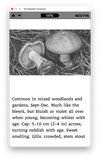
eBook Reader, of course we all love reading on an eInk screen. TernReader converts epub books into a compact binary format (trbk) so that rendering and reading will be fast and small on device.
There is a home screen which shows recents (images & books) by title and thumbnail and also provides access to the file browser to load additional content from the sdcard.
In addition to the firmware image for the device, there are 2 desktop command line tools: tern-image and tern-book
All of these can be found in the releases section in github.
Additional features:
- Portrait UI (480x800) with a fast Home screen and recents.
- File browser with folders + .tri/.trimg/.trbk entries.
- eBook reader with page indicator, embedded image support, TOC, resume, and sleep overlay.
- Image viewer with previous/next navigation and sleep.
- Auto-sleep after inactivity (5 minutes).
Image Viewer
The image viewer views full screen images in 4 color greyscale by selecting the image file in the file browser. Pressing right or left will display the previous or next image in that directory on the sdcard. This is handy, if you put all of your passes in the same directory on the sdcard. Pressing the power button will cause the device to sleep, leaving the image on the screen. The device will sleep in any case after 5 minutes of inactivity.
eBook Reader
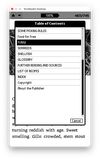
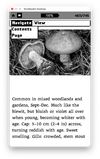
Opening a trbk file in the file browser will open the book for reading. Books retain original epub content including embedded images and ToC which can be used for navigation. Pressing down will advance to the next page, pressing up will go back to previous page. Fonts are rendered antialiased using the font specified at conversion time with tern-book.






 Andrew Whaley


No comments or reviews, maybe you want to be first?