Terminal.Gui icon
Terminal.Gui icon

Terminal.Gui

Terminal.Gui enables building sophisticated console applications with modern UIs
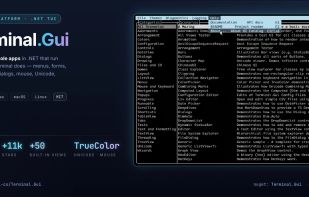
Terminal.Gui screenshot 1

Cost / License

  • Free
  • Open Source (MIT)

Platforms

  • Mac
  • Windows
  • Linux
0likes
0comments
0articles

Features

  1.  C-sharp
  2.  Terminal-based
  3.  Cross-Platform
  4.  Tui

Terminal.Gui News & Activities

Highlights All activities

Recent activities

Terminal.Gui information

  • Developed by

    Tig
  • Licensing

    Open Source (MIT) and Free product.
  • Written in

  • Alternatives

    7 alternatives listed
  • Supported Languages

    • English

AlternativeTo Category

OS & Utilities

GitHub repository

  •  11,182 Stars
  •  785 Forks
  •  49 Open Issues
  •   Updated  
View on GitHub

Popular alternatives

View all
Terminal.Gui was added to AlternativeTo by Alex Ruiz on and this page was last updated .
No comments or reviews, maybe you want to be first?

What is Terminal.Gui?

Terminal.Gui enables building sophisticated console applications with modern UIs

  • Responsive TUI - Easy to use, innovative, layout system enables console apps as responsive as any responsive web page.
  • Performant and Scalable - Built for modern TUIs - fast, double-buffering-based rendering; Tables and Tree Views scale to infinite elements with sorting and filtering.
  • Keyboard First; Mouse First Too - Optimized for TUI experiences where the user's hands never need to leave the keyboard; full mouse support too.
  • Rich Built-in Widgets (Views) - Text editors, buttons, checkboxes, trees, tables, markdown, linear ranges, menus, selectors, and more.
  • Visualizations - Charts, graphs, progress indicators, and color pickers with TrueColor support.
  • Text Editors - Full-featured text editing with clipboard, undo/redo, and Unicode support
  • Fully Configurable - Themes, colors, key bindings, and settings are all customizable and persistable.
  • File Management - File and directory browsers with search and filtering, supporting Nerdfonts and coloring.
  • Wizards and Multi-Step Processes - Guided workflows with navigation and validation.
  • Cross-Platform - Consistent experience on Windows, macOS, and Linux.
  • Apps Work In-line or Full Screen - Build CLI tools like Claude Code/Copilot/Codex CLI that scroll with the terminal (in-line) or full screen.

Official Links