

TeraConvert
Private file converter for Mac that converts videos, audio, images, PDFs and documents directly on your machine, so nothing is ever uploaded to a server.
Cost / License
- Pay once
- Proprietary
Platforms
- Mac
- Online
Features
Properties
- Privacy focused
Features
- No Tracking
- Sign PDF files
- PDF annotation
- Lossless Audio
- PDF compression
- Support for 4K
- Works Offline
- Ad-free
- Hardware Accelerated
- Live Preview
- Batch Editing
- OCR
- Split PDF files
- Image Conversion
- Video Converter
- Audio Conversion
TeraConvert News & Activities
Recent activities
- yogendrasinghx added TeraConvert
yogendrasinghx added TeraConvert as alternative to CloudConvert, Convertio, Zamzar and FreeConvert
TeraConvert information
What is TeraConvert?
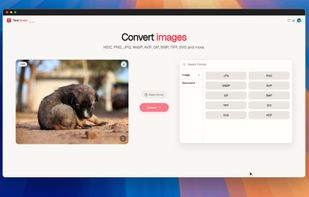
TeraConvert is a file converter built for the Mac. It converts between video, audio, image, document, PDF, spreadsheet, ebook, and archive formats natively on Apple Silicon. Every conversion runs directly on the machine, so files never leave the computer-making it a private alternative to upload-based converters.
The Mac app also includes a PDF editor with real text editing, page reordering, splitting, and compression; a video editor for trimming, cropping, and resizing before export; audio trimming with fades and volume control; and OCR for extracting text from images and scanned PDFs.
Dropping several files of the same kind switches TeraConvert into batch mode, letting you apply the same settings across all of them.
There is also a web version at teraconvert.com that runs conversions directly inside the browser for quick, one-off jobs.
TeraConvert Pro is a one-time purchase with no subscription.


