telepath icon
telepath icon

telepath

 2 likes

Telepath is a modern, intelligent CLI tool for seamless and secure port forwarding. Designed with versatility and ease of use in mind, Telepath enables developers and system administrators to create complex forwarding paths across multiple hosts effortlessly.
telepath screenshot 1

Cost / License

Platforms

  • Mac
  • Windows
  • Linux
  • Docker
telepath screenshot 1
telepath screenshot 2
+1
telepath screenshot 3
Alternatives
2likes
0alternatives
0articles
Save

Features

Features

 Tags

Highlights All activities

telepath News & Activities

Recent activities

  • Samiul-Sk rated telepath  
  • Samiul-Sk liked telepath
  • mrasif liked telepath
  • mrasif updated telepath
  • mrasif added telepath

telepath information

AlternativeTo Categories

Network & Admin, Development, System & Hardware

GitHub repository

  •  4 Stars
  •  1 Forks
  •  0 Open Issues
  •   Updated  
View on GitHub
telepath was added to AlternativeTo by mrasif on and this page was last updated .

No comments or reviews, maybe you want to be first?

Official Links

What is telepath?

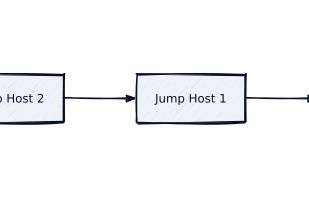
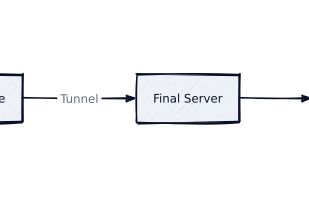
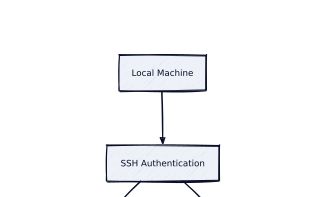
Telepath is a modern, intelligent CLI tool for seamless and secure port forwarding. Designed with versatility and ease of use in mind, Telepath enables developers and system administrators to create complex forwarding paths across multiple hosts effortlessly. Whether you're working with password-based or keyfile authentication, single or multiple jump hosts, Telepath has you covered.

[] Why Choose Telepath? Multi-Jump Host Support: Telepath allows seamless port forwarding through multiple intermediate hosts, making it ideal for accessing restricted networks. Secure Authentication: Supports password-based and keyfile authentication, ensuring flexibility and security. CLI Simplicity: Its intuitive command-line interface simplifies complex operations with straightforward commands. Daemon Mode: Runs as a background service for continuous operation, perfect for long-running port-forwarding tasks. Customizable & Open Source: It's open source and developer-friendly, so you can tweak it for your needs.