TeenyGrab Alternatives

TeenyGrab is described as 'Free alternative to TinyGrab. TinyGrab is a popular application for quickly uploading screenshots, and sharing them. The only problem is, the full version (with features such as uploading to a custom FTP server) costs $$$' and is a screenshot capture tool in the photos & graphics category. There are more than 25 alternatives to TeenyGrab for a variety of platforms, including Windows, Mac, Web-based, Google Chrome and Linux apps. The best TeenyGrab alternative is Greenshot, which is both free and Open Source. Other great apps like TeenyGrab are Snipping Tool, Lightshot, Spectacle and Evernote Web Clipper.

Copy a direct link to this comment to your clipboard
TeenyGrab alternatives page was last updated

Alternatives list

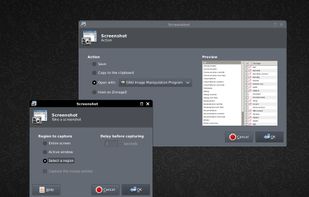
  1. This application allows you to capture the entire screen, the active window or a selected region. You can set the delay that elapses before the screenshot is taken and the action that will be done with the screenshot: save it to a PNG file, copy it to the clipboard, open it...

    Cost / License

    Application type

    Platforms

    • Linux
    • BSD
     
  2. FFsplit icon
     15 likes

    A freeware application that lets users stream high quality content similar to XSplit Broadcaster and Flash Media Live Encoder. Currently, the application is in early stages of development. This project is actively looking for dedicated testers.

    Cost / License

    • Free
    • Proprietary

    Application type

    Alerts

    • Discontinued

    Platforms

    • Windows
     
  3. Relephant icon
     1 like

    Screenshot organization and smart search, for effortless memory retrieval. Categorized screenshots by keywords, topic, and source -- so that you can find the memory you're looking for.

    Cost / License

    • Paid
    • Proprietary

    Application type

    Platforms

    • Online
     
  4. FlyScreen icon
     1 like

    FlyScreen is a powerful screenshot manager for iOS. Search your screenshots, copy text and links, organize by tags, and more.

    Cost / License

    • Free
    • Proprietary

    Application type

    Platforms

    • iPhone
    • iPad
     
  5. This extension is able to capture 100% of both the vertical and horizontal content appearing on any webpage on the Internet.

    Cost / License

    • Free
    • Proprietary

    Application type

    Platforms

    • Online
    • Google Chrome
    • Chromium
     
  6. Easy Screen Capture and Annotation lets you capture and annotate any part of the screen. The main goal of the product is to speed up the capture and editing process saving you valuable time by automating repetitive tasks.

    Cost / License

    • Freemium
    • Proprietary

    Platforms

    • Windows
     
  7. ScreenCloud icon
     21 likes

    ScreenCloud is an easy to use screenshot sharing application. Take a screenshot using one of the 3 hotkeys or simply click the ScreenCloud tray icon. You can choose where you want to save your screenshot.

    Cost / License

    Application type

    Alerts

    • Discontinued

    Platforms

    • Mac
    • Windows
    • Linux
    • Online
     
  8. Take, edit and share screenshots with Windows, OS X, Linux, Android and Google Chrome. It's free and simple!

    Cost / License

    • Free
    • Proprietary

    Application type

    Platforms

    • Mac
    • Windows
    • Linux
    • Online
    • Android
    • Chrome OS
    • Android Tablet
    • Google Chrome
     
  9. Capture the web page, either part of it or full page. Edit your screenshots in a very user-friendly interface.

    Cost / License

    • Free
    • Proprietary

    Application type

    Platforms

    • Online
    • Google Chrome
    • Firefox
     
  10. CloudShot icon
     5 likes

    Make a screenshot, add your notes on top and share it instantly. Need to show some action? Record what you do, and share a GIF in a few seconds.

    Cost / License

    • Free
    • Proprietary

    Application type

    Alerts

    • Discontinued

    Platforms

    • Windows
     
  11. Screenshoter icon
     3 likes

    Every annoying feature is consistently excluded. Make a screenshot with a click on the button or by pushing the "Print Screen" key and it will be directly saved as an image - thats it!

    92 Screenshoter alternatives

    Cost / License

    • Free
    • Proprietary

    Application type

    Platforms

    • Windows
     
You are at page 2 of TeenyGrab alternatives