TalkBack icon
TalkBack icon

TalkBack

This is Google's screen reader which is built-in to many phones. It's worth getting the latest version from the market to gain the latest improvements. Some special scripts are included to improve access for some popular third-party apps.
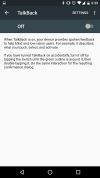
TalkBack screenshot 1
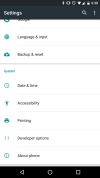
TalkBack screenshot 2
+1
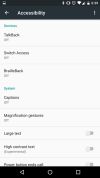
TalkBack screenshot 3

Cost / License

  • Free
  • Proprietary

Platforms

  • Android  Requires android v1.6 and up to work.
  • Android Tablet

Features

  1.  Text to Speech

TalkBack News & Activities

Highlights All activities

Recent activities

No activities found.

TalkBack information

AlternativeTo Category

OS & Utilities

Our users have written 1 comments and reviews about TalkBack, and it has gotten 2 likes

TalkBack was added to AlternativeTo by babagrr on and this page was last updated .

Comments and Reviews

   
sschuyler94704
0

The most HORRIBLE app in the world! Once it is enabled it takes your phone hostage and is impossible and very cumbersome to navigate your entire phone! I can't wait to get rid ogf it! It fact I will be uninstalling Microsoft defender altogether! because of it!

Review from a new or low-activity account — shown here, but not counted in the app rating.

What is TalkBack?

This is Google's screen reader which is built-in to many phones. It's worth getting the latest version from the market to gain the latest improvements. Some special scripts are included to improve access for some popular third-party apps. Get the Accessibility Preferences app to adjust Talkback's few available settings.
TalkBack is an app for the Android Accessibility Service to help blind and vision-impaired users use their devices more easily. This app add spoken functionality services to your device. This is a system application that was pre-installed on most devices and is updated when the accessibility service is improved.

This app only gets activated if you explicitly turn on Accessibility.

Steps to activate Accessibility:

  1. Go to Settings
  2. Select Accessibility
  3. Enable Accessibility checkbox
  4. Enable the TalkBack checkbox