SyncGallery icon
SyncGallery icon

SyncGallery

Rule-based Android cloud sync for photos, videos, and files. Sync folders or albums, add selected media from preview, review first-sync changes, and use Google Drive or OneDrive. More providers are under development.

Set Up Sync in Minutes

Cost / License

  • Freemium (Pay once or Subscription)
  • Proprietary

Platforms

  • Android
Google Drive or OneDrive
Configure Every Detail
+3
Nothing Happens Without You
0likes
0comments
0alternatives
0articles

Features

Properties

  1.  Support for Themes

Features

  1.  Automatic Backup
  2.  No registration required
  3.  Shared Folders
  4.  Watch Videos Together
  5.  Dark Mode
  6.  Non Destructive Editing
  7.  Cloud Sync
  8.  Batch Editing
  9.  Built-in viewer
  10.  Selective Synchronization
  11.  Sync with Google Drive
  12.  Photo Gallery
  13.  Folder Sync
  14.  2 way sync
  15.  Photo Synchronization
  16. Microsoft OneDrive icon  Sync with Onedrive
  17. Android icon  Android Sync
  18.  File Sync

SyncGallery News & Activities

Highlights All activities

Recent activities

SyncGallery information

  • Developed by

    PL flagM-Applications
  • Licensing

    Proprietary and Freemium product.
  • Pricing

    One time purchase that costs $50, and / or subscription that costs $4 per month + free version with limited functionality.
  • Alternatives

    0 alternatives listed
  • Supported Languages

    • English
    • Polish
    • Russian
    • Belarusian
SyncGallery was added to AlternativeTo by _sasha_2040_ on and this page was last updated .
No comments or reviews, maybe you want to be first?

What is SyncGallery?

SyncGallery is an Android gallery and rule-based cloud sync app for photos, videos, and files.

It lets you create flexible sync rules between Android folders and cloud folders. A rule can define the sync direction, selected device folder or album, cloud destination, matching behavior, filters, conflict handling, and safety thresholds.

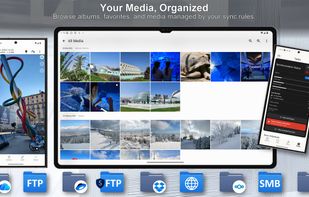
For media files, SyncGallery supports both folder-level and file-level workflows. You can sync a whole folder or album, or use file-level rules where selected photos and videos are added to a rule directly from the gallery or preview screen. For example, you can tap a rule icon on a photo to send it to a specific cloud destination such as Archive, Family, Work, or Best Photos.

Before the first sync of a new rule, SyncGallery scans both sides and shows the planned operations, so you can review what will be uploaded, downloaded, updated, or deleted before anything moves. Later syncs can run automatically unless conflicts or safety thresholds require review.

SyncGallery currently supports Google Drive and Microsoft OneDrive. Cloud transfers happen directly between your Android device and your own cloud account; SyncGallery does not store your media on its own servers.

Other clouds and FTP/SFTP/FTPS/SMB plugins are under development.

Official Links